
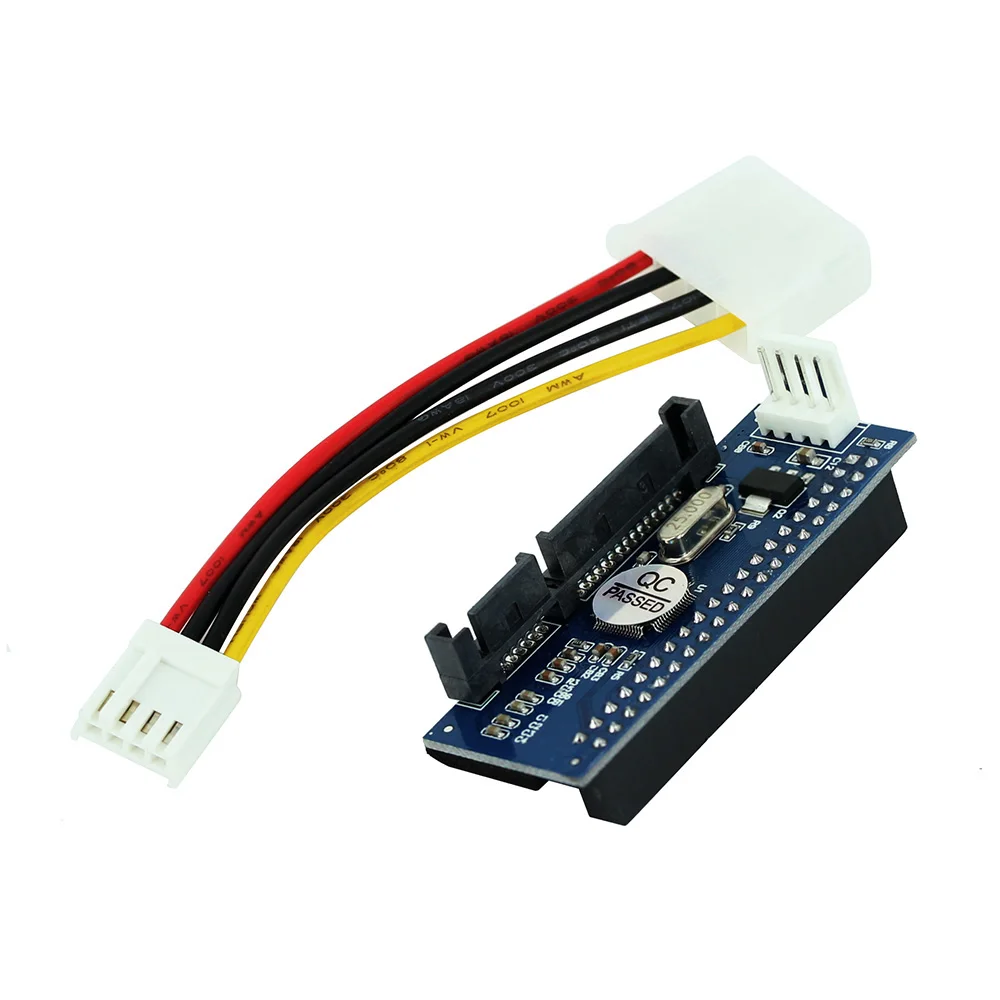
OULLX SATA IDE Adapter 40 Pin IDE to SATA Connector 3.5 HDD IDE/PATA Hard Disk Adapter Converter With 7Pin-SATA Data Cable
Return&refund policy
Eligible items are covered by return and refund support. If the item does not arrive or is not as described, the buyer can request help.
Security & Privacy
Safe payments: We do not share your personal details with any third parties without your consent.
Secure personal details: We protect your privacy and keep your personal details safe and secure.
AI offer for your market
A curated pick based on category, shipping route, delivery speed and popularity in your selected market.
Why this product fits your market
- • Estimated delivery: 5.
- • Strong customer signal: 4.7★ from 66 reviews.
- • Recommendations focus on this product category and your market availability.

Product specifications
Detailed product description
This product is shown with available options, market-specific pricing and verified specifications.
- Brand: OULLX
- Sales: 138
- Package size: 10 × 10 × 2 cm
- Package weight: 0.03 kg
- Rating: 4.7 / 5
Before adding to cart, choose an available option and check the quantity.
OULLX SATA IDE Adapter 40 Pin IDE to SATA Connector 3.5 HDD IDE/PATA Hard Disk Adapter Converter With 7Pin-SATA Data Cable
Notice
This SATA adapter is used for desktop computer PC, not for laptop USB port.
Because the voltage of USB port of laptop is not enough to operate the SATA adapter
Please try to connect the SATA adapter with SATA port of desktop computer PC motherboard
Features
100% Brand new and high quality!
The Adapter turns your 40pin HDD to Sata connector.
Fit for 40-pin IDE device, such as 3.5IDE,CD-ROM,CD-RW etc.
Compliant with Serial ATA specification
Fully plug and play,no drive needed.
Doesn\'t support hot swap.
Compatible with all brands of desktops
1, the video recorder IDE hard drive to SATA, connected to the motherboard SATA port.
2, 3.5-inch IDE hard drive to SATA, connect to the motherboard SATA port
3, IDE drive to SATA, connect to the motherboard SATA port
4, IDE burner to SATA, connect to the motherboard SATA port
5, you can transfer the desktop 3.5-inch IDE hard drive to the SATA recorder (please format the hard disk on the computer first).
6, the transferred hard disk can be the main disk, the slave disk (requires reinstall the system, refresh in the BIOSS, etc.).
7, the transferred optical drive can guide the system.
8. The IDE device using the riser card must be inserted in the MASTER position.
9, compatible with SATA 1 generation, SATA 2 generation, SATA 3 generation
10, plug and play, no need for any driver
Note:If the product does not recognize the HDD or DVD/CD optical drive.The IDE device must set the jumper cap to the(MA) Masterposition.
When it cannot be recognized: right-click on "My Computer - Properties" - "Hardware" - "Device Manager". Then open "IDE ATA/PATA Controller" and double-click on the primary and secondary IDE channels respectively, select "Advanced Settings", set "Device Type" to "Automatic Detection", and set "Transfer Mode" to "DMA (if available)" - Confirm. After restarting, check if the system has discovered new hardware.