
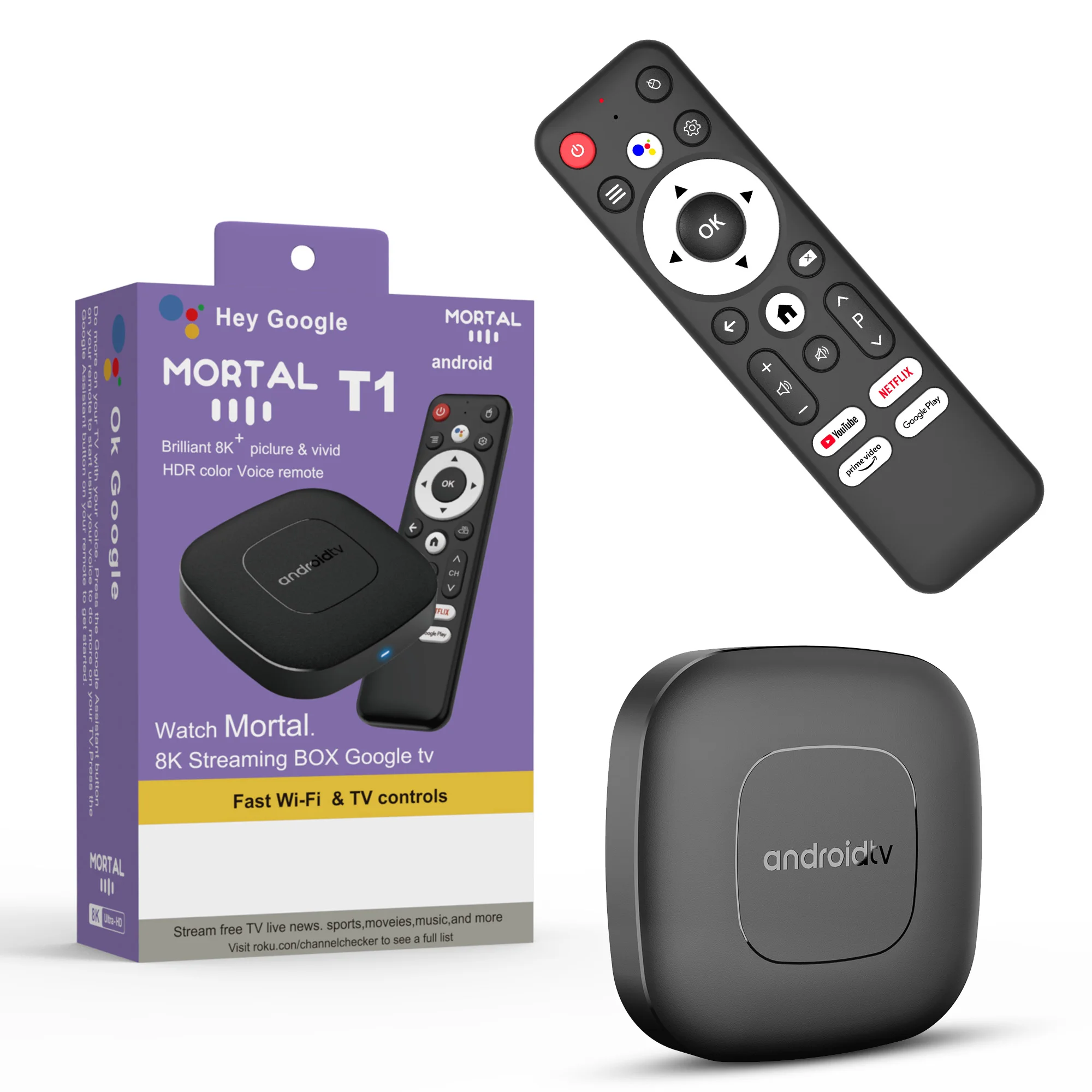
Android16 Smart Home Theater TV Box AllwinnerH313 Google Assistant Netflix Streaming Bluetooth Media Player 2G16G 2.4G5G Wifi T1
Return&refund policy
Eligible items are covered by return and refund support. If the item does not arrive or is not as described, the buyer can request help.
Security & Privacy
Safe payments: We do not share your personal details with any third parties without your consent.
Secure personal details: We protect your privacy and keep your personal details safe and secure.
AI offer for your market
A curated pick based on category, shipping route, delivery speed and popularity in your selected market.
Why this product fits your market
- • Estimated delivery: 7.
- • Strong customer signal: 4.5★ from 2,282 reviews.
- • Recommendations focus on this product category and your market availability.



Product specifications
Detailed product description
This product is shown with available options, market-specific pricing and verified specifications.
- Brand: LVMAO
- Sales: 5000+
- Package size: 17 × 11 × 5 cm
- Package weight: 0.234 kg
- Rating: 4.5 / 5
Before adding to cart, choose an available option and check the quantity.
添加链接
Product Applications
Android 16.0
Higher quality output, Powerful graphics processor, Stable performance
Special Notes
2. Due to strict regional restrictions, Disney applications are not compatible. Our developers are constantly developing more Disney-compatible versions.Once a new version is available, we are willing to send it to customers as soon as possible.Currently Disney is not available. If users mind, please do not purchase it.
3. If some applications fail to load when users download them, it is because the downloaded application version is incompatible with the Android system of the machine, not a machine quality issue. Please try again to find a more suitable program version for download.
Allwinner H313
Strong SoC for smoother operation and clearer image quality effects.
Smart Voice Control
One click voice operation, say what you want
4K Video Decoding
Powerful video decoding function,higher definition,more realistic image effection.
HDR 10High Dynamic Range
Make the picture display more vivid and beautiful.
Multi Screen Sharing
Easily share the small screen to the large screen.You can play games and watch You can play games and watch
Dual band WiFi
2.4G and 5G dual band WiFi, with good compatibility, fast network speed, and smoother performance
Dolby Vision & Dolby Audio
Experience lifelike clarity and color with Dolby Vision and Dolby Audio for a fully immersive experience.
Rich interface simple connection
Small interface big effect, can meet various entertainment needs
Package Include
HDMI Cable*1
Remote Control*1
USB Charger*1
User Manual*1
Direction for use
Because the T1 machine will regularly update the software system to ensure that users receive the latest and best system, the Android system of the T1 machine has been gradually upgraded to Android 14. If the user receives an Android 14 system, they can use it with confidence. Our front-end developers have updated the T1 machine to the latest Android system version, which can be better compatible with more suitable applications.
How to use Google Voice Assistant,? How to use Bluetooth voice remote, microphone?
Step 1: Tap the voice button and release it.
Step 2: Wait until the voice input pop-up box appears in the lower right corner of the TV, then long press the voice button and input voice commands at the same time (press and hold the voice button and speak into the microphone).
Step 3: After the voice command is input, release the voice button (release the voice button after speaking).
Step 4: The machine will automatically perform corresponding actions based on the voice command.
How to install T1 TV box? T1 TV box installation steps
Step 1: Connect one end of our standard HDMI cable to the HDMI interface of the set-top box, and the other end to the HDMI interface of the TV
Step 2: Using our standard USB power cord, with a 5V2A power supply (the suggestion given by the power supply is to use 5V2A specifications. If it is not this specification, it may cause the machine's power supply voltage Unable to run)and the set -top box indicator turns from the blue light to the red light)
Step 3: The blue indicator of the box box is on, indicating that the machine is running normally. Users need to use a TV remote control to switch to the set -top box to access the corresponding signal source of the corresponding HDMI port. Only when the signal source is switched to the corresponding signal source, the set -top box screen will access the TV.
Step 4: Open the network settings, connect to the network, and you can surf the Internet normally
Product Parameter
Packing
Product size
77*77*12MM
Packaged weight
0.3kg
Packing Size
170*110*45MM
Product Color
Black
System Config
CPU
Allwinner H313 Quadcore cortex-A53frequency :1.5G
GPU
Mali-G31 MP2
FLASH
8/16/ GB
SDRAM
2GB
Power Supply
DC 5V/2A
Main Features
Case
Plastic material(Private model )
OS
Android TV 14.0
KODI
18.1
WIFI
2.4GHZ+5.8GHZ+BT5.0
3D
Hardward 3D graphics acceleration
Support Decoder format
VP9-10 Profile-2 up to 8K@60fps
H.265 HEVC MP-10@L5.1 up to8K@60fps