
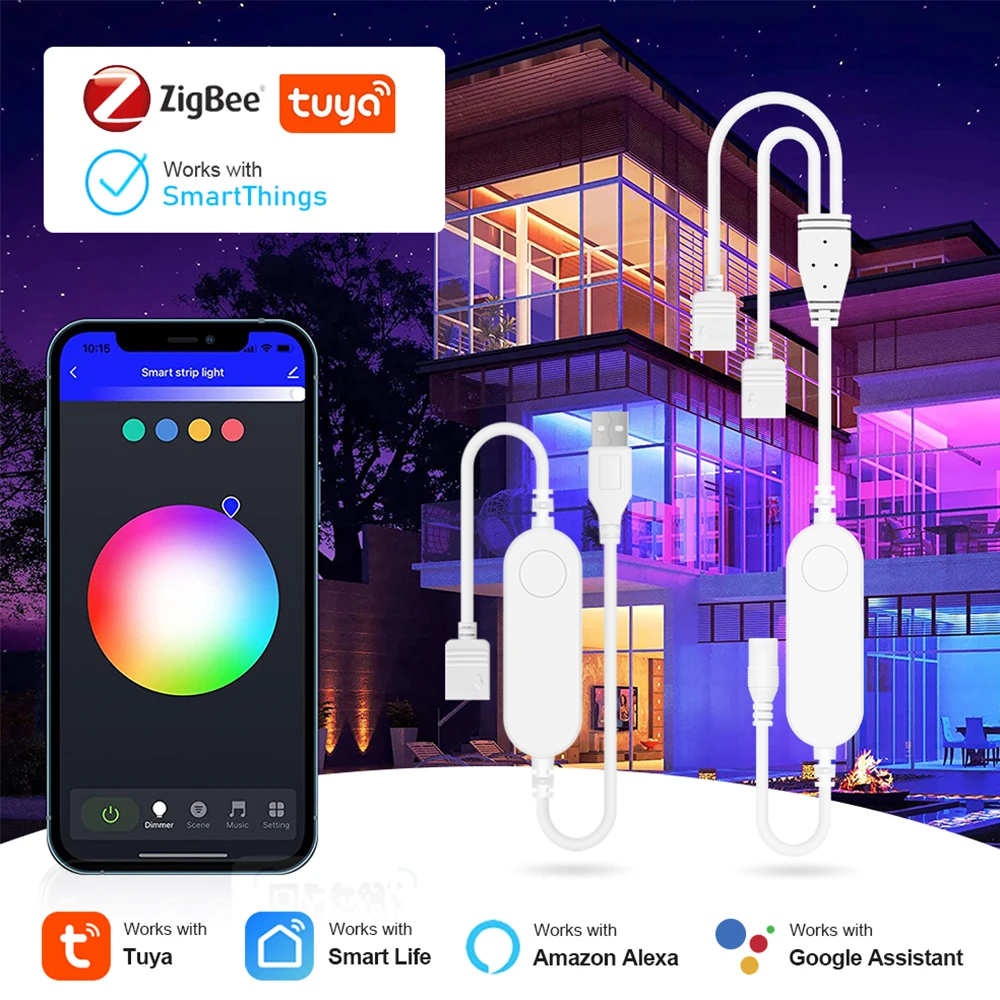
DC5V 12V 24V RGB RGBW RGBCW Zigbee 3.0 Controller 4PIN 5PIN Tuya LED Strip Controller Dimmer Work With Alexa Google SmartThings
Return&refund policy
Eligible items are covered by return and refund support. If the item does not arrive or is not as described, the buyer can request help.
Security & Privacy
Safe payments: We do not share your personal details with any third parties without your consent.
Secure personal details: We protect your privacy and keep your personal details safe and secure.
AI offer for your market
A curated pick based on category, shipping route, delivery speed and popularity in your selected market.
Why this product fits your market
- • Estimated delivery: 5.
- • Strong customer signal: 4.4★ from 48 reviews.
- • Recommendations focus on this product category and your market availability.


Product specifications
Detailed product description
This product is shown with available options, market-specific pricing and verified specifications.
- Brand: coolo
- Sales: 271
- Package size: 12 × 8 × 5 cm
- Package weight: 0.04 kg
- Rating: 4.4 / 5
Before adding to cart, choose an available option and check the quantity.
DC5V 12V 24V RGB RGBW RGBCW Zigbee 3.0 Controller 4PIN 5PIN Tuya LED Strip Controller Dimmer Work With Alexa Google SmartThings
Zigbee Hub Gateway is required!
Specification
Voltage: DC port 12-24V / USB port 5V
Max Power: 72W
APP: Smart Life/Tuya Smart
Support: Android/iOS
Operating Temperature: -20-60°
Support System: Alexa Echo, Google Home
Control: Voice control / Button key control / APP control
【Compatible with Alexa/Google Assistant】 You can control your LED strip by voice commands through Alexa or Google Assistant. For example, assume your bedroom light is named "Bedroom Light". If you want to adjust the brightness of your bedroom light, you can say, "Alexa, set 'Bedroom Light' to 50%." If you want to turn on/off your bedroom light, you can say, "Alexa, turn 'Bedroom Light' on/off." If you want to change your bedroom light to red, you can say, "Alexa, set 'Bedroom Light' to red."
【Million Colors for Choosing & Dynamic Color Changing】 With the color control panel, you can get the color you want by taping exact color on the panel. Or you can tap the RGB editor on the top left and set specific parameters for "R" "G" "B" to get the color you want. Just enjoy it!