
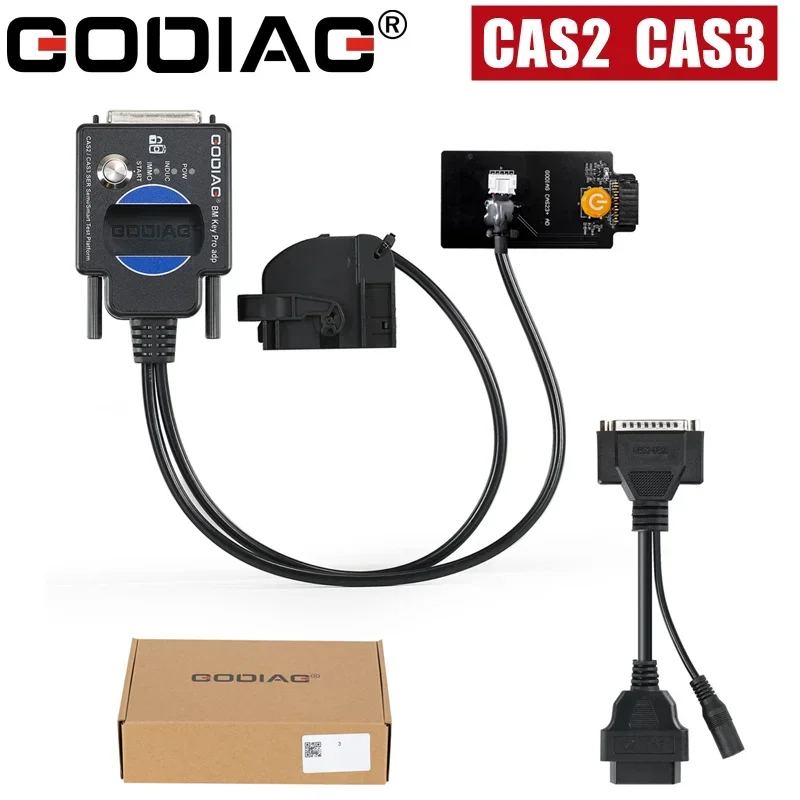
GODIAG CAS2 CAS3 SER Semi Smart Test Platform Detect CAS & Key Synchronization Solder-free Matching CAS Data Read Write Program
Return&refund policy
Eligible items are covered by return and refund support. If the item does not arrive or is not as described, the buyer can request help.
Security & Privacy
Safe payments: We do not share your personal details with any third parties without your consent.
Secure personal details: We protect your privacy and keep your personal details safe and secure.
AI offer for your market
A curated pick based on category, shipping route, delivery speed and popularity in your selected market.
Why this product fits your market
- • Estimated delivery: 7.
- • Strong customer signal: 5.0★ from 7 reviews.
- • Recommendations focus on this product category and your market availability.



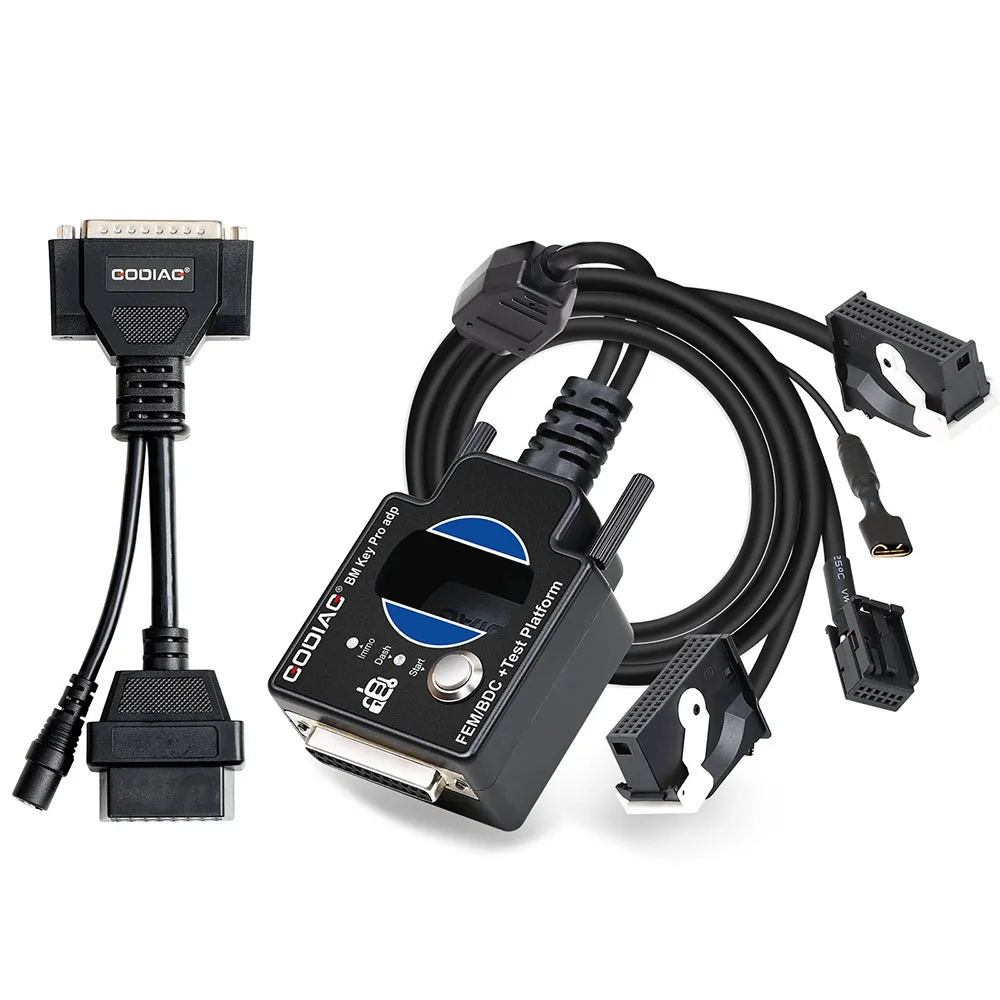

Product specifications
Detailed product description
This product is shown with available options, market-specific pricing and verified specifications.
- Brand: GODIAG
- Sales: 13
- Package size: 20 × 15 × 5 cm
- Package weight: 0.35 kg
- Rating: 5.0 / 5
Before adding to cart, choose an available option and check the quantity.
Product Features
1. Detect CAS and key synchronization
2. Solder-free matching CAS2/CAS3 mechanical key
3. CAS data reading, writing and programming
4. All keys lost /adding keys matching
5. CAS key data backup
6. CAS module function judgment
Product Functions
1.Check wheteher CAS2 / CAS3, CAS3+ CAS3++ modules and magnetic semi-intelligent/smart keys are synchronized.
2.Cooperate with the key programming devices like Xhorse Key Tool Plus Pad / Xhorse vvdi 2 / for bmw vvdi bim tool / Autel im608 / CGDI for BMW / Lonsdor devices, OBDSTAR devices, etc., to perform all key lost matching or key addition operations.
3.CAS2 / CAS3, CAS3+ CAS3++ module diagnostics
4.CAS2 / CAS3, CAS3+ CAS3++ module programming
Module and key synchronization detection
Check whether the CAS2 / CAS3, CAS3+ CAS3++ module and the magnetic semi-intelligent smart key can be synchronized
Step 1: Connect the CAS2/CAS3, CAS3+ CAS3++ modules according to the connection diagram.
Step 2: Put the key into the key sensing area.
Step 3: Connect the power supply and the corresponding power indicator light will light up. The start/stop button light is on. The coil sensor light will flash. [Indicates that the module can send out the key sensing signal normally. If the key and the module are synchronized, the light will flash regularly or stay on. If the key and module are out of sync, the flashing will be irregular and will stop after one minute.]
Step 4: Press the start switch. [If the key is synchronized with the CAS module, the IMMO synchronization detection indicator light will light up and the internal buzzer of the machine will sound. If the key is not synchronized with the CAS module, the IMMO synchronization detection indicator light will not light up and the internal buzzer of the machine will not sound.]
Step 5: Press the analog start and stop button, the IMMO synchronization detection indicator light will go out after 3 seconds. Press the analog start/stop button again and the IMMO synchronization detection indicator light will light up.
The following uses Xhorse vvdi2 device to perform for BMW CAS2/CAS3, CAS3+ CAS3++ semi-intelligent/smart key programming and matching operations
1. Connect the CAS2/CAS3, CAS3+ CAS3++ module and the key programming diagnostic device according to the connection diagram.
2 Select “key learn—CAS Key Learn---Connect”.
3.After successfully identifying the CAS information, select “Get Key Info” and “Save Key Info”.
If the IMMO light cannot light up, enter the VVDI2 menu “Key Learn—CAS/EWS Information—Connect—Synch DME-CAS or Synch CAS-ELV”. [When performing synchronization, the key must be placed in the key sensing area of the VVDI2 device.]
Package Includes
1pc x OBD2 to DB25 Cable
Notice