
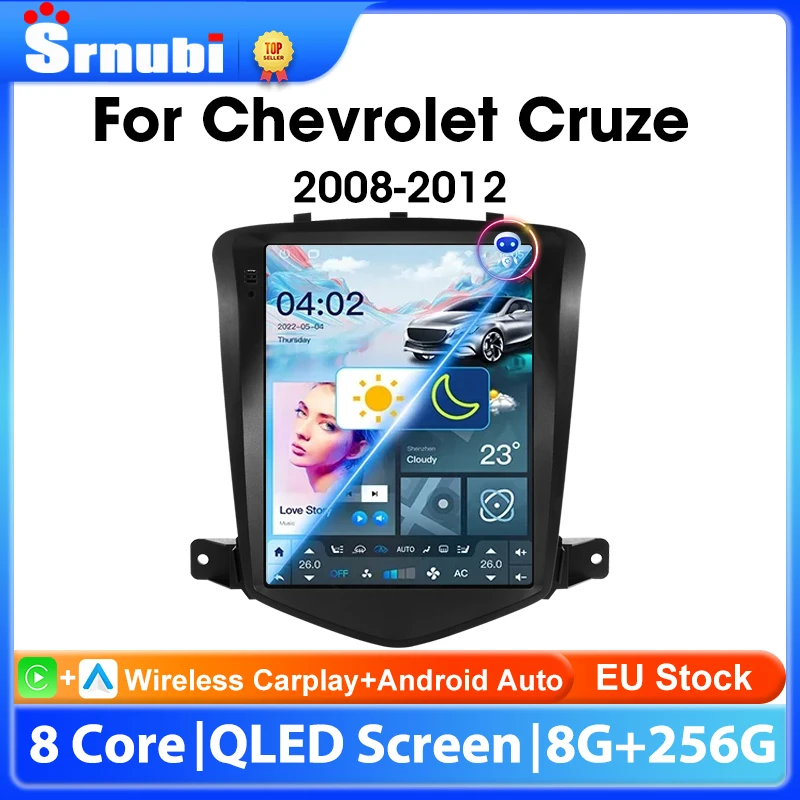
Srnubi 9.7" Android Car Radio for Chevrolet Cruze J300 Din Multimedia Player Wireless Carplay Android Auto Head Unit
Return&refund policy
Eligible items are covered by return and refund support. If the item does not arrive or is not as described, the buyer can request help.
Security & Privacy
Safe payments: We do not share your personal details with any third parties without your consent.
Secure personal details: We protect your privacy and keep your personal details safe and secure.
AI offer for your market
A curated pick based on category, shipping route, delivery speed and popularity in your selected market.
Why this product fits your market
- • Estimated delivery: 7.
- • Recommendations focus on this product category and your market availability.
Product specifications
Detailed product description
This product is shown with available options, market-specific pricing and verified specifications.
- Brand: srnubi
- Sales: 19
- Package size: 24 × 20 × 12 cm
- Package weight: 1.7 kg
- Rating: 0.0 / 5
Before adding to cart, choose an available option and check the quantity.
Brand new style screen, more convenient operation and better vision
The latest technology, using advanced Android navigation solutions, supports more custom settings and opens more options to users.
The original screen is compared with the new screen, everything is clear, making your car more stylish
According to the principle of the "pin-oriented" connector, it is easy to connect with the car standard wiring.
Comes with a Canbus cable, which is fully adapted to the original car's power amplifier and steering wheel control, as well as the original car's air conditioning, original car sensors and other original car functions
Keep the steering wheel control of the original car, simple operation, safer driving
Smarter control of air conditioning, as well as wind direction and size
Two screens can be turned on at the same time for navigation and driving, and listening to music at the same time, making driving more enjoyable and more immersive
The radio in our shop will download the map for you and install the most useful navigation software. You can also download the software you like more according to your hobby.
T10 Powerful amplifier processor makes the sound more perfect, 48EQ makes everyone can become a professional tuner
Adjust the sound direction to make the music more immersive
AHD high-definition night vision camera, escort your driving
High-definition driving recorder with ranging function. Protect your driving safety.
Can be used in conjunction with our TPMS tire pressure monitoring system to monitor tire temperature and pressure in real time
Suitable for 4G/5G network, wireless network makes it more convenient to use
The 9.7-inch super large screen can meet any of your needs.
Change the position of the host behind it at will without any damage to the original car frame.
Cruze needs to move the back cover to prevent it from reaching the middle position of the central control.
1: Remove 4 screws
2: Take out the connecting wire and extend it.
3: Move the back cover to the top, fix the back cover with 4 screws, OK!
Move up, SO easy
Srnubi's new style Stereo,The new UI 4.0 design language is adopted to make driving intelligent, technological driving, and driving safe.
Super easy installation instructions, so everyone can easily install.
(5-star feedback ) New radio firmware will be updated every year (the firmware may include system version upgrades and optimizations, function additions and adjustments, motherboard graphics upgrades, voice control), and the new firmware will be sent to 5-star feedback and Friends who follow my shop. I will continue to serve my friends and always provide some coupons.
FAQ
1.Why can't turn on the car radio?
1.1 Please check the Voltage of car radio: 12V
1.2 When you test this car radio,you can combine the red and yellow wires and connect them to the positive side of the power supply.Black line to negative power supply.
1.3Replace the same type of insurance to test the car radio. Note: Please must use our power cables to connect our car radio,it is not possible to insert the original car plug directly into our machine.
2.Why the car radio will show "No Signal" when we reversing?
Please check if the camera's line is properly connected to the car radio. Note:The video port of rear camera must insert the "CAMIN" port of car radio.
3.Why does the camera display "!" and "Can't watch video while driving" when I use USB to watch videos?
Please turn off the "Video Warning" function in the settings,then will be OK.
4.Why can't search FM?
4.1: No radio antenna inserted
4.2: Please check if the radio antenna is plugged in. Please insert more antennas several times to make it well contacted
4.3: The signal of your location is not good. Please go to a better place to test again
4.4: The radio antenna on the car is broken/no effect; please replace the radio antenna and test again.
5.Why can't connect the Bluetooth of car radio?
6: Bluetooth signal is weak, WiFi signal is weak
please check and reconnect the Yellow rear Camera input connector, there are 2 short cables, they are the extension cords of the Bluetooth antenna and the WiFi antenna, or you can extend them to enhance the signal.
7: The navigation map does not work
8: The screen display is abnormal
click the one-key recovery button, if it can't be solved, remove the screw on the back, check whether the screen cable is loose, and reconnect the screen cable.
9: Abnormal sound
1 Check whether the original car cable has been modified by another car owner. If so, please check the speaker cable and reconnect it.
2 Check whether there is an original car or a modif
10:Radio setting interface password
T6 password: 111333, 1234, 1617, 16176699
K3/T10/T3L/T3L plus: 123456,8888,7890,000000
Programmer interface password: 7890 plus current time. For example, at 11 o'clock it is 789011. If it is 12 o'clock, it is 789012
11:The radio cannot be turned on
11.1. The condition for the radio to turn on is that ACC (G3) and 12V (G2) are connected to the positive pole of the car's 12V power supply, and G1 is connected to the negative pole of the power supply. There may be a very small probability that the power cord does not match your car. You can directly connect these 3 power cords Connect the power cord of the car without the radio
11.2. It may be that the connecting wire of the radio came off during transportation, just open the back cover to check and reconnect the connecting wire inside the radio
11.3. If you can't turn on after checking the above steps, please send a video to us for confirmation. The video needs to show that the power cord is normally connected, and test the connection cord with an electric meter to be 12V.