

AHD NTSC Car Rear View Reverse Camera for Toyota Prius XW30 MK3 Waterproof Backup Camera
Return&refund policy
Eligible items are covered by return and refund support. If the item does not arrive or is not as described, the buyer can request help.
Security & Privacy
Safe payments: We do not share your personal details with any third parties without your consent.
Secure personal details: We protect your privacy and keep your personal details safe and secure.
AI offer for your market
A curated pick based on category, shipping route, delivery speed and popularity in your selected market.
Why this product fits your market
- • Estimated delivery: 7.
- • Strong customer signal: 4.0★ from 15 reviews.
- • Recommendations focus on this product category and your market availability.

Product specifications
Detailed product description
This product is shown with available options, market-specific pricing and verified specifications.
- Brand: NoEnName_Null
- Sales: 41
- Package size: 16 × 9 × 4 cm
- Package weight: 0.166 kg
- Rating: 4.0 / 5
Before adding to cart, choose an available option and check the quantity.
NOTE
(1)Please check if your Android monitor supports AHD720P before purchasing
(2)Our car camera only supports Android large screens. Please check carefully before purchasing
(3)Because there may be slight differences between carsproduced in different countries, please check the size beforebuying.
Feature
1. Condition: six-layer lens,100% products and high quality
2. hard-resistant function, strong blowing
3. Easy installation and simple operation
4. High definition camera reading, high definition and wide viewing angles
5. Ensure safe driving to avoid accidents on vehicles
6.Stable performance, low power consumption, low noise, smart adjustment, night vision effect
Product List
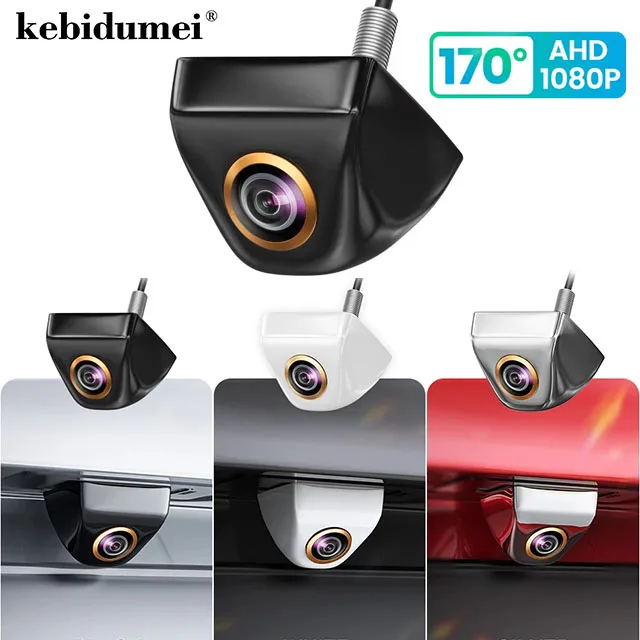
1 * Car rear camera
1 * 6m video cable
1 * 1m power cable
1 * User manual
Note: Cameras with CVBS CCD video signal is universal for all monitors, but AHD signal will only work with AHD monitor!
Regarding monitor settings: Before installing the camera, you need to set the monitor to AHD signal
Note:If there is no AHD signal selection, then it is your monitor AHD signal is not supported You can choose CVBS signal again,But before that, you need to connect the green cable that has already been cut off, otherwise the monitor will not show scene
Conversion Line Control
*Note:If the monitor does not show the image, you can cut the green line to switch to another channel, and then reconnect the camera
Possible issues that may arise during
the installation process
After installation, black screen, no signal
blurred screen, and black and white image appear
Resolvent
1. Check if the camera cable is not properly connected
2. First, check if the Monitor is on the same channel as the camera
as our camera is Dual channel camera, so it is necessary to confirm
whether the camera is a CVBS or AHD channel, usually The
default is CVBS channel, and after cutting the green line
it becomes AHD channel. After confirming the camera channel
It is necessary to set up channels corresponding to the camera
on the car Monitor, such as the camera For AHD channel
the monitor needs to be set to AHD 720P channel. If the camera If it is
a CVBS channel, set the Monitor to CVBS/NTSC