
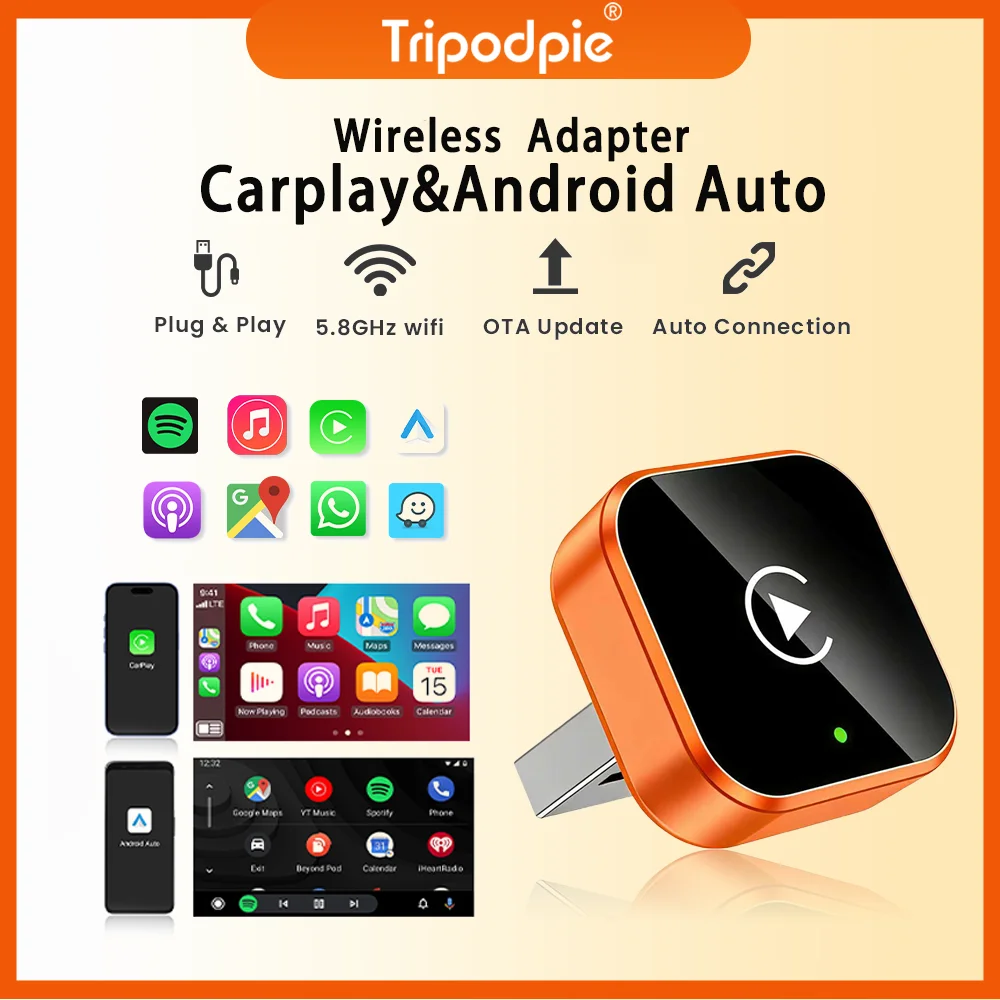
2026 2in 1 Wireless CarPlay Dongle Wireless Android Auto Adapter AI Smart Box 5Ghz WiFi Type-C/USB Plug and Play Car accessories
Return&refund policy
Eligible items are covered by return and refund support. If the item does not arrive or is not as described, the buyer can request help.
Security & Privacy
Safe payments: We do not share your personal details with any third parties without your consent.
Secure personal details: We protect your privacy and keep your personal details safe and secure.
AI offer for your market
A curated pick based on category, shipping route, delivery speed and popularity in your selected market.
Why this product fits your market
- • Strong customer signal: 4.5★ from 68 reviews.
- • Recommendations focus on this product category and your market availability.
Product specifications
Detailed product description
This product is shown with available options, market-specific pricing and verified specifications.
- Brand: Tripodpie
- Sales: 470
- Package size: 11 × 8 × 4 cm
- Package weight: 0.063 kg
- Rating: 4.5 / 5
Before adding to cart, choose an available option and check the quantity.
1.Please make sure your original car has OEM CarPlay/Android Auto, If not available, please do not purchase(display shows CarPlay/Android Auto icon)
2.Models manufactured after 2017
3.Not compatible with BMW. Not compatible with Tesla.
1.Carplay supports iPhone 6 and above models, with software versions of iOS 10 and above.
How to use wireless Carplay/Android Auto?
1. Connect the USB box to the car USB
2. Check the Bluetooth name "Smart Dongle-XXXX" that appears on the car
🎀Function of switching between products
If you need to switch from wireless Carplay to wireless Android auto function
Note
1.To use wireless Android Auto
Your car needs to have the Android Auto channel function
2.To use wireless Carplay
Your car needs to have the Carplay channel function
How to upgrade for iPhone online?
Access the backend page with an iPhone
2. Open the Safari browser on your iPhone and enter the IP address: "
Features
Wireless Android Auto, Convert wired Android Auto to wireless
Plug and play, Plug in our product to the USB port with data transmission, Search the Bluetooth name and allow all request.
Great Compatibility. Right nowcompatible with 98% of cars on the market with wired CarPlay and Android Auto
The following requirements must be met to use this product
Your car radio is original.
Your car has wired Carplay or wired Android auto.
BMW, Tesla and other models are not compatible. If you are not sure, you can ask customer service before purchasing.
1. Why is there a slight delay in the sound during use of the product?
Any product connected via Bluetooth will have lags. This is a normal phenomenon. You can also improve it in the following aspects
Turn off redundant Bluetooth devices, because unnecessary Bluetooth signals will interfere with the product connection.
Disconnect and reconnect Bluetooth.
2. Why can't my wireless Android auto connect properly?
For Android system phones with lower versions of Android 9 or Android 10, if you cannot find Android auto in Google services, you can download an Android auto software.
Please confirm that the product's Bluetooth is not occupied by other devices. If you have used other devices to connect to the product's Bluetooth, please disconnect first and try again.
Huawei phones and Honor phones cannot use Android auto.