
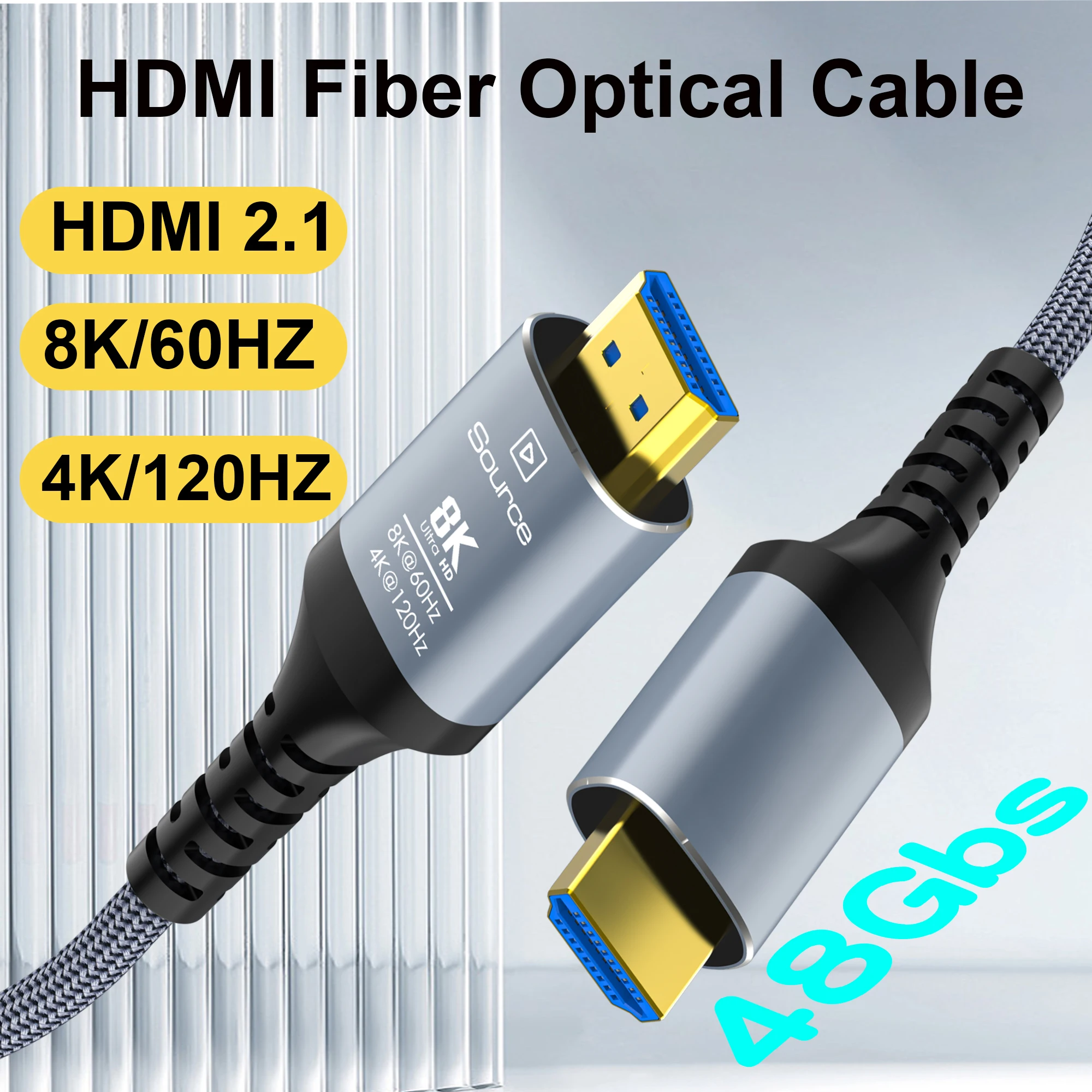
8K Fiber Optic HDMI Cable 8K60Hz 4K120 HDMI 2.1 Cable Dynamic HDR/eARC/HDCP 2.3 Compatible with LG Samsung Sony TV /PS5/Blu-ray
Return&refund policy
Eligible items are covered by return and refund support. If the item does not arrive or is not as described, the buyer can request help.
Security & Privacy
Safe payments: We do not share your personal details with any third parties without your consent.
Secure personal details: We protect your privacy and keep your personal details safe and secure.
AI offer for your market
A curated pick based on category, shipping route, delivery speed and popularity in your selected market.
Why this product fits your market
- • Strong customer signal: 4.8★ from 96 reviews.
- • Recommendations focus on this product category and your market availability.

Product specifications
Detailed product description
This product is shown with available options, market-specific pricing and verified specifications.
- Brand: CYANMI
- Sales: 288
- Package size: 19 × 19 × 10 cm
- Package weight: 1.178 kg
- Rating: 4.8 / 5
Before adding to cart, choose an available option and check the quantity.
Model: H133 Copper Cable
Model: H134
Fiber Optic cable
Version: HDMI 2.1V
Connector: HDMI-A Male to HDMI-A Male
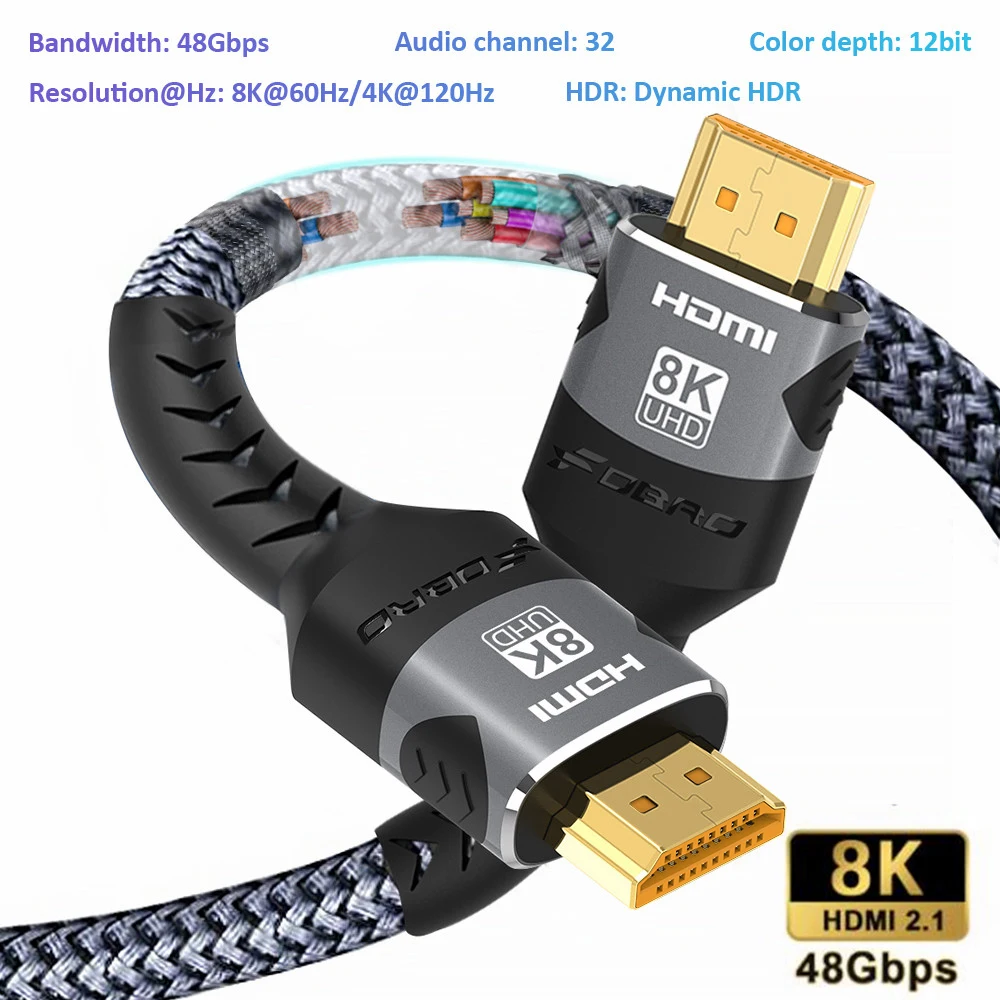
Resolution: 10K @ 30Hz / 8K @ 60Hz / 4K @ 120Hz 144Hz / 2K @ 165Hz / 1K @ 240Hz
Bandwidth: 48Gbps
Material : Nylon braid / aluminum alloy shell / gold plated plug
Features: Dolby Vision / Dolby Sound / Dynamic HDR / Mirror Mode / Advanced Mode / Game Mode / 3D /
Aspect Ratio 21: 9 / HDCP2.2 2.3 / eARC/Ethernet/QMS/VRR/QFT/ALLM
Copper Cable Length
3.3FT/1M/39.3inch、6.6FT/2M/78.7inch、 10FT/3M/118inch、
32.8FT/10M/393.7inch、50FT/15M/590.5inch、65FT/20M/787.4inch、100FT/30M/1181inch 、131FT--40M--1574inch 165FT--50M--1968inch
【8K Optical Fiber HDMI Cable】8K optical fiber HDMI 2.1 Cable is evolving rapidly; it realizes ultra-long-distance audio and video transmission, without signal compression, no delay in light speed transmission, no electromagnetic interference, and no radiation. It is compatible with 8K@60HZ and 4K@120HZ, clearly displays every particle, and accurately processes every signal source.
【Upgrade Revolution----HDMI 2.1】 CYANMI 8K HDMI Cable conforms to the standard HDMI 2.1 version. Compared with HDMI 2.0, its transmission speed has a qualitative leap, from 18Gbps to 48Gbps (6GB/s) directly, and there will no longer be stuck or dropped frames when watching video from now on. Support eARC, can achieve more advanced audio signal control capabilities. It is also backward compatible with HDMI 2.0b/2.0a/1.4/1.3/1.2/1.1 versions
【HDMI Cable For Game Enthusiasts】 This HDMI Cable is not limited to 4K@60HZ, it can break through 4K and achieve 8K ultra-high image quality. It can also achieve a super smooth picture of 4K@120HZ. Its latest game mode supports variable refresh rate, maximizes the value of the graphics card and CPU, and is more accurate in the processing of rendered images. When the scene is switched, the refresh rate will change accordingly to obtain a smoother and more detailed picture.
【Reinforced classic high-quality materials】 This 8K HDMI Cable uses CYANMI' most popular classic style, with a new smart chip, making it reach an unprecedented height. The strength of the aluminum alloy shell and the tail's anti-bending design has been upgraded to make it more durable. The plug part is still made of 24K gold-plated material, which accurately transmits signals. The military grade tensile nylon material also greatly extends its life.
【Unidirectional Transmission】CYANMI Fiber Optic HDMI Cable is the unidirectional transmission. The plugs at each end are marked ✨【SOURCE/DISPLAY】✨, please note that source is the signal source (laptop, PC, ps4/ps5, Xbox and Blu-ray player, etc) and the display is the display end (monitor, TV, projector, etc). So make sure you plug in each end correctly (if not then you will get no image from the device).
8K HDMI 2.1 HD cable
Turn on 8K on the first line
Optoelectronic conversion modules are used at both ends to realize mutual conversion of optical signal and electric signal
Compliant with HDMI 2.1 protocol standard
Precautions before purchase
1. Confirm whether the HDMI interface of the devices at both ends supports the HDMI 2.1 specification. Note that 8K can be transmitted only if the devices at both ends support it. Confirm the specification you need to transmit
If the specification is uncertain, it is recommended to use the equipment wiring connection for verification first
2. Confirm whether to connect HDMI extension cable or HDMI wall panel and other extension accessories. If there is such connection, it will cause compatibility problems, and it is not recommended to purchase
3. Confirm whether to connect electronic accessory products such as docking station, switch, distributor, matrix or adapter cable. If there is such connection, it will cause compatibility problems. It is not recommended to purchase
Precautions for installation and use
1. Pay attention to the direction before installation and use. The "Source" sign end connects PC, game console, set-top box, Blu-ray DVD and other devices, and the "Display" sign end connects TV, display, projector and other devices
2. Before installation and wiring, pay attention to equipment test and verification. Simulate the connection of equipment at both ends to be used. First test and verify whether it can be transmitted and whether the specification can be reached
Pay attention to the lines to be laid. Each line needs to be tested and verified
3. Please read the instructions before installing the pull wire and wiring, pay attention to the pull method and corner requirements, and protect both ends
Precautions for product use
1. Pay attention to whether the 8K channel at both ends of the device has been opened, especially at the TV end. Some devices will be automatically opened, and some devices need to be manually set to open
2. HDR does not support: check whether the devices at both ends support HDR, check whether the signal source device turns on HDR, and check whether the display device has turned on enhancement or color depth optimization mode
3. CEC does not support: most of the devices at both ends are compatible with the same brand CEC functions, and many devices across brands are not compatible with CEC
4.4:4:4 or 4:2:2 color gamut is not supported: it can only be supported by equipment at both ends, and equipment wiring may be verified first
5. No signal: check whether the input and output of the device is the current HDMI port, and set it to the current HDMI port; Check whether the direction of the wire is inserted reversely; Check whether the input and output ports are dirty and plugged in place
You can try to switch to other HDMI ports for verification
6. Display screen jitter or noise: check whether the input and output HDMI ports are loose, or try to plug and unplug them again at both ends (first plug the display end, then plug the signal source end, and then do protocol communication again)
7. VRR, QMS and ALLM are not supported: it needs to be supported by both devices. Does it support querying device specifications
8. Precautions for the use of PC graphics card: 8K output supports independent use. If there are two or more DP ports+HDMI ports on the graphics card, the output resolution of two or more ports at the same time will fall below the 8K standard
9. Precautions for use of PS5 game console 4K/120Hz: 4K/120Hz can be turned on only after purchasing the official Sony game (supporting 4K/120Hz)
10. There are black screen, flash screen, frequency reduction and non-operation after using for a period of time: the wiring fiber core is damaged, and the glass fiber core is slowly cracking
11. Audio return function: ARC uses less than 20 meters, eARC uses less than 5 meters, which is not supported beyond these lengths
SEVERAL FUNNY MODES
MIRROR MODE Display the same scenes in different screen
EXTENDED MODE Show different scenes in different screen at the same time
SPLICED MODE Distribute your movie/game picture on several display screens to enjoy a stronger visual impact
Shipping and returns
1. Global shipping (excluding some countries and APO/FPO addresses)
2. The order is processed quickly after payment verification.
3. Your order address must be consistent with your shipping address.
4. The pictures shown are not actual products and are for reference only.
5. The transportation time is provided by the carrier, excluding weekends and holidays. Shipping time may vary, especially during holidays.
7. Due to inventory status and time difference, we will choose to ship your items from our first available warehouse for the fastest delivery.
Returns and refunds
2. If you feel that there is a problem with the product for more than 7 days after receiving the goods, it is a personal problem, and we will not bear any loss here.
notes
1. Please allow a difference of 1-2 cm in the measured value.
2. Please leave us a message stating your favorite color, otherwise you will receive random colors.
3. The picture on your screen may not accurately reflect the color of the product. We guarantee that the product is the same as the model shown in the picture.
Feedback
Question:How do i set this up with 2 hdmi sources and 1 cord?
Answer:Need to connect 2 sources to “HDMI switch” and then connect one HDMI cord to the device you are wanting to connect the sources to..
Question:Is it suitable for RTX 3080
Answer:Of course, a perfect fit