
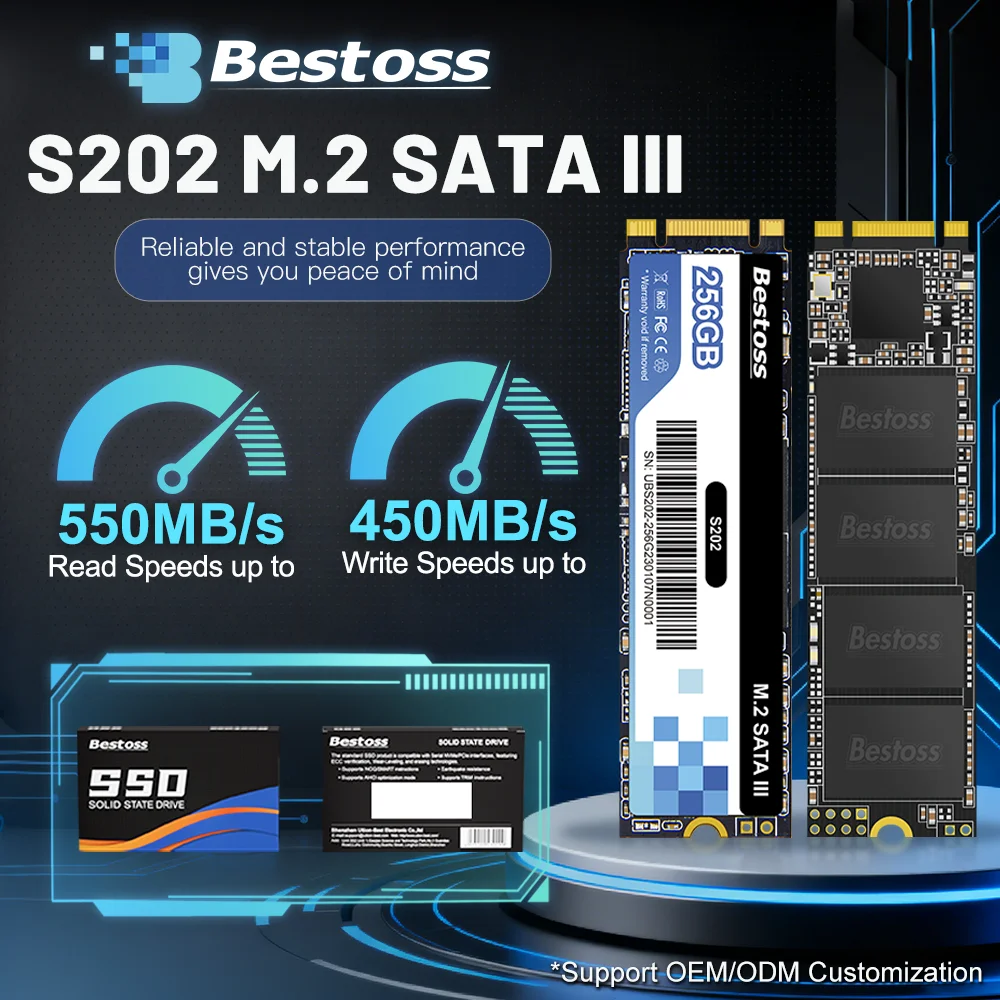
Bestoss M.2 Sata 3.0 2280 Full Capacity 120GB 128GB 240GB 256GB 480GB 512GB 1TB 2TB SSD Internal Solid State Drive
Return&refund policy
Eligible items are covered by return and refund support. If the item does not arrive or is not as described, the buyer can request help.
Security & Privacy
Safe payments: We do not share your personal details with any third parties without your consent.
Secure personal details: We protect your privacy and keep your personal details safe and secure.
AI offer for your market
A curated pick based on category, shipping route, delivery speed and popularity in your selected market.
Why this product fits your market
- • Strong customer signal: 4.7★ from 119 reviews.
- • Recommendations focus on this product category and your market availability.



Product specifications
Detailed product description
This product is shown with available options, market-specific pricing and verified specifications.
- Brand: Bestoss
- Sales: 454
- Package size: 15 × 9 × 3 cm
- Package weight: 0.035 kg
- Rating: 4.7 / 5
Before adding to cart, choose an available option and check the quantity.
Please note
This product uses a M.2 SATA III interface and is not compatible with the NVMe interface. Please confirm your motherboard interface type when placing an order.
Strict Quality Control
2.We focus on every detail of product production.
Before you use
For new SSD, please finish disk initialization according to the following steps.
1. Open Start. Search for "Create and format hard disk partitions" and click the top result to open the Disk Management console.
2. Right click "Computer" - "Manage" - "Disk Management".
Find your unallocated disk, right click "Unallocated", and choose "New Simple Volume Wizard". So then your SSD can be detected.