
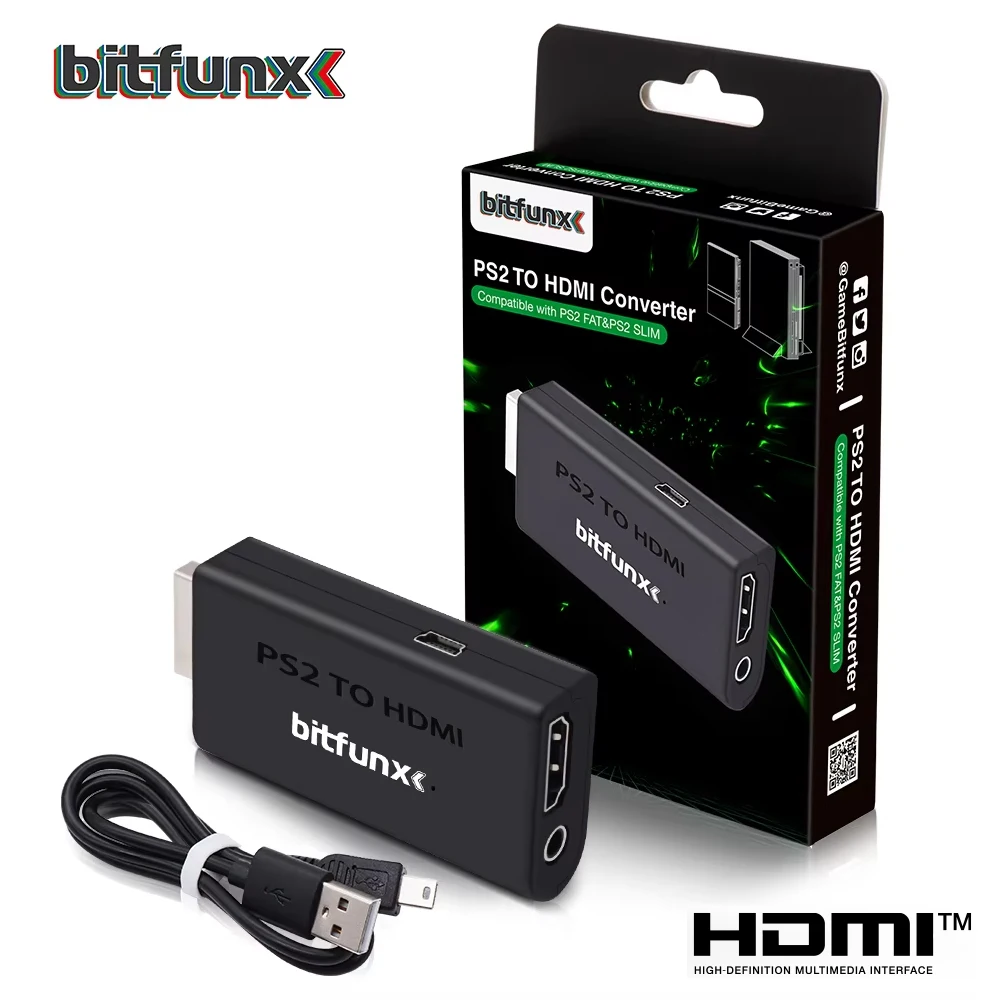
Bitfunx PS2 YPBPR to HDMI™ Adapter 3.5mm Audio Video Converter for SONY Playstation 2 PS2 PS3 Console
Return&refund policy
Eligible items are covered by return and refund support. If the item does not arrive or is not as described, the buyer can request help.
Security & Privacy
Safe payments: We do not share your personal details with any third parties without your consent.
Secure personal details: We protect your privacy and keep your personal details safe and secure.
AI offer for your market
A curated pick based on category, shipping route, delivery speed and popularity in your selected market.
Why this product fits your market
- • Strong customer signal: 4.8★ from 922 reviews.
- • Recommendations focus on this product category and your market availability.


Product specifications
Detailed product description
This product is shown with available options, market-specific pricing and verified specifications.
- Brand: BitFunx
- Sales: 3000+
- Package size: 19 × 10 × 3 cm
- Package weight: 0.06 kg
- Rating: 4.8 / 5
Before adding to cart, choose an available option and check the quantity.
For Product Technical Support
4. Visit Bitfunx on Youtube to see more videos of the product in use.
Bitfunx PS2 YPBPR to HDMI™ Adapter 3.5mm Audio Video Converter for SONY Playstation 2 PS2 PS3 Console
Introduction
The majority of modern Televisions have connectivity via HDMI™ and lack some of the older inputs which retro game consoles use. With the Bitfunx HDMI™ adapter, you can bring your old Playstation 2 back to life on a newer TV and relive those gaming classics, with a simple ‘PLUG AND PLAY’ solution!
NOTE :Only support YPBPR signal.
Therefore, please set the output signal of your PS2 console to YPBPR signal in advance when using it.
Setup and Compatibility
This PlayStation 2 to HDMI™ Converter actually converts Component Video (YPbPr) to HDMI™, which is highest possible image quality from PS2. To enable Component Video output for this adapter, be sure to select "Y Cb/Pb Cr/Pr" as the output type in the PS2 system menu ("System configuration -> component video out"). "RGB" will not work with this adapter if selected.
The converter itself is powered by USB, which can be done by connecting the converter to a USB port on your PlayStation using the included USB power cable. And providing your with a Female HDMI™ socket and a 3.5mm Audio Jack - ideal for connecting headphones or an external set of speakers.
How to output 1080i?
(please visit the video)
FEATURES
FAQ
Q1:Can it support GSM 1080i or 720p?
A1: Yes, It can.
Q2: Will GSM mode of OPL work?
A2: Yes, It will.
Q3: Why does my PS2 console not show image?
A3: Please make sure that you've selected 'Y Cb/Pb Cr/Pr' output on your PS2 console, but not 'RGB'.