
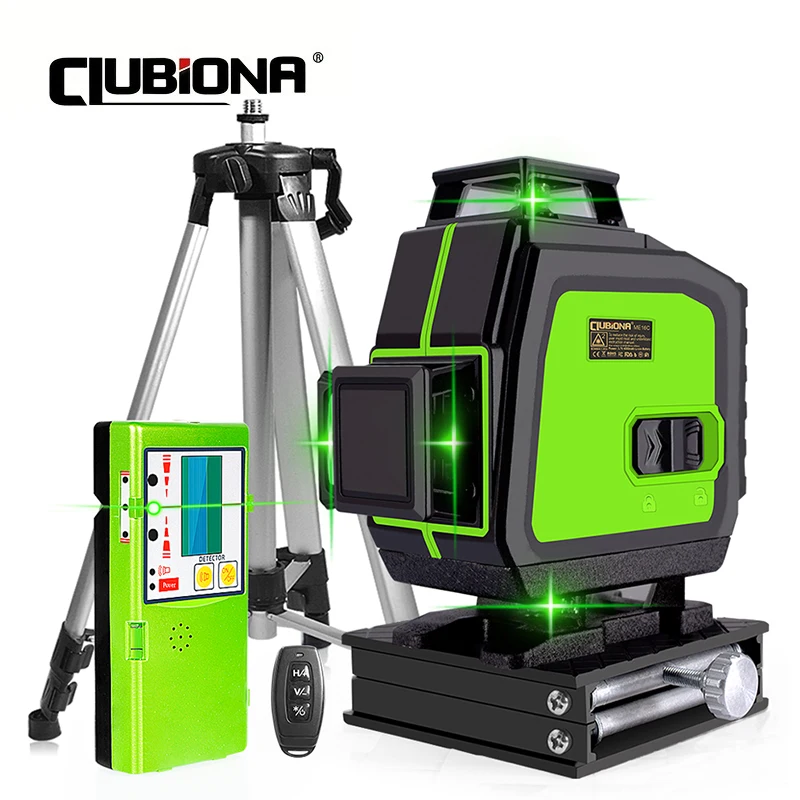
Clubiona 16/12 lines professional Super powerful Green Beams Laser Level With 4000mAh Li-ion Battery Remote Control pulse mode
Return&refund policy
Eligible items are covered by return and refund support. If the item does not arrive or is not as described, the buyer can request help.
Security & Privacy
Safe payments: We do not share your personal details with any third parties without your consent.
Secure personal details: We protect your privacy and keep your personal details safe and secure.
AI offer for your market
A curated pick based on category, shipping route, delivery speed and popularity in your selected market.
Why this product fits your market
- • Estimated delivery: 7.
- • Strong customer signal: 4.6★ from 8 reviews.
- • Recommendations focus on this product category and your market availability.



Product specifications
Detailed product description
This product is shown with available options, market-specific pricing and verified specifications.
- Brand: CLUBIONA
- Sales: 33
- Package size: 58 × 30 × 24 cm
- Package weight: 3.45 kg
- Rating: 4.6 / 5
Before adding to cart, choose an available option and check the quantity.
Advantages & Details
How to turn on the pulse/receiver mode
According to different models, there are two ways to turn on
1. Please turn on the pendulum of the laser level, press the "V" button on the remote control until the laser line weakens, and then turn on the pulse/receiver mode.Line laser and receiver are compatible.
2.Please turn on the pendulum of the laser level and press the red button on the machine to turn on the pulse mode.
The ME16C green laser level with higher visibility, eye-friendly for all-new experience. Bright green-beam laser up to 2x brighter than standard red beams, which can help to improve your work efficiency.
This laser level can use both the touch button and the remote control to easily operate 20m away.
Note: The line mode switches every time when you short press the H/V button. Vertical line and horizontal line can work separately.
How to turn on manual mode: Press and hold the "OD" button for 2 seconds
More Details
About after-sales service
About logistics services
Multiple Application Scenarios