
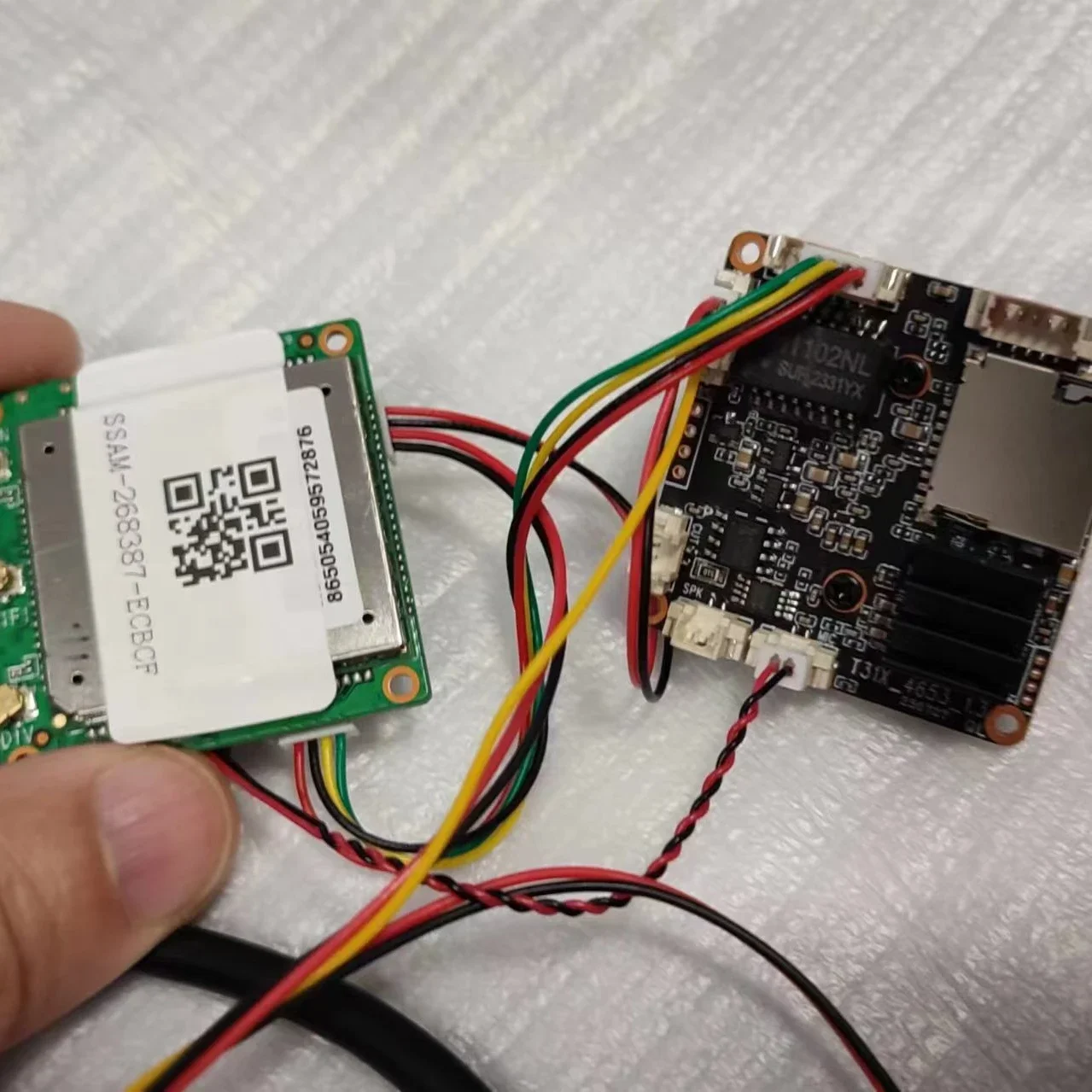
DIY 4G WIFI AP IP Camera Module 5MP IMX307 Wireless Mini Built-in MIC Micro SD Card Slot IMEI Modification P2P APP AF790
Return&refund policy
Eligible items are covered by return and refund support. If the item does not arrive or is not as described, the buyer can request help.
Security & Privacy
Safe payments: We do not share your personal details with any third parties without your consent.
Secure personal details: We protect your privacy and keep your personal details safe and secure.
AI offer for your market
A curated pick based on category, shipping route, delivery speed and popularity in your selected market.
Why this product fits your market
- • Strong customer signal: 4.8★ from 20 reviews.
- • Recommendations focus on this product category and your market availability.



Product specifications
Detailed product description
This product is shown with available options, market-specific pricing and verified specifications.
- Brand: gulinsan
- Sales: 35
- Package size: 15 × 10 × 10 cm
- Package weight: 0.45 kg
- Rating: 4.8 / 5
Before adding to cart, choose an available option and check the quantity.
NOTICE
Note
Before purchasing, please consult whether you need 4G or wifi version. 4G version supports 4G network in Europe and wifi version supports all countries
Note: LTE Cat 4,This module supports 4G networks in the following countries. Some customers have already used it
Brazil
4G Europe
Support
Israel
Kuwait
The British
Russia
Italy
Poland
Ukraine
Thailand
Finland
Spain
Bulgaria
Canada
Estonia
1. You can modify the IMEI on the WEB UI
2. Supports SNTP time synchronization, including automatic synchronization and manual synchronization.
3. Support traffic statistics function, can be counted by traffic/time online or duration; You can create on this page
Create a traffic plan and query used and remaining traffic.
4. Support M.OME domain name access, this function can determine whether the router dns is normal.
Special note: Before accessing M.OME, ensure that the DNS in the network adapter is automatically obtained, as far as possible
Use Internet Explorer, otherwise the M.OME domain name may not be resolved. IP can also be used
Direct login
5. The module enables the WiFi function by default, and other wireless terminals can access its WLAN network. meanwhile
It also has a wireless client function, which can be used as a wireless relay to connect to other WiFi to achieve bridge connection
Function of network
6. The router has the wireless client function, which is turned off by default and can be turned on when needed, as a wireless
After the device, you can connect to other WiFi to achieve the Internet function.
7. Supports firewall functions, including MAC/IP/ port filtering, port mapping, port forwarding, UPnP, and DMZ functions
only 4G module (Not IP camera module)
Gateway IP:(IP address of 4G module)
User name:admin (User name and password of 4G module)
Password:admin (User name and password of 4G module)
AP hot name:MIFI_XXXX
Password: (User name and password of 4G module)
Matters needing attention
1. Wear anti-static bracelet or gloves before work
2. Please wiring in order
3.12V power interface, positive and negative pole should not connect in a wrong way
4. Chip burn, no warranty
ABCDEFG lens selection, pay link
Warm Tips
Wi-Fi Version NOT works with 3G and 4G
4G Version Works both 4G,Does not support Wi-Fi.
Important Warning
If you want to use this 3G 4G IP Camera
You MUST check your SIM card frequency range MUST be in below listed range.
We will not agree any dispute for your own reason for your wrong order.
3G standard: WCDMA
Frequency range: B1(2100MHz), B8(900MHz)
4G standard: FDD-LTE
Frequency range: B1(2100MHz), B3(1800MHz), B7(2600MHz), B8(900MHz), B20(800MHz)
you have to put a SIM card into camera and connect internet by your SIM card.
The camera does not support router internet connection!
(2)This 3G 4G IP camera Connection Way: Insert your SIM card into camera, then power on, connect SIM Card internet.
No need to connect network LAN cable! No need to setup wifi!
(3)The 3G 4G ip camera does not support local PC clients.
(4)The 3G 4G ip camera does not support Cloud FTP storage!
4G SIM Card Connection
How to quickly set up 3G/4G
Note:If you use the reset button. Then you need to re-bind the camera to MIFI-xx
You only need a few simple steps.
Insert the SIM card into the camera. Connect the power adapter, wait 10-20s, camera will be ready.
If view the 3G/4G camera is offline, please check the SIM card".
camera starts working. Access "" through the browser, the page password
is "admin", you can check the SIM card information on this page.
If your camera display is offline, please note the following
1.Damaged card or wrong installation direction when prompted "
No SIM Card or SIM Card invalid! ", as shown below
2.Frequency not supported or SIM card arrears when prompted "No Service" or "Limited Service", as shown below 1)
3.Make sure 3G/4G signal strength is enough, as shown below 2)
Via Express: Generally 3-7 working days.