
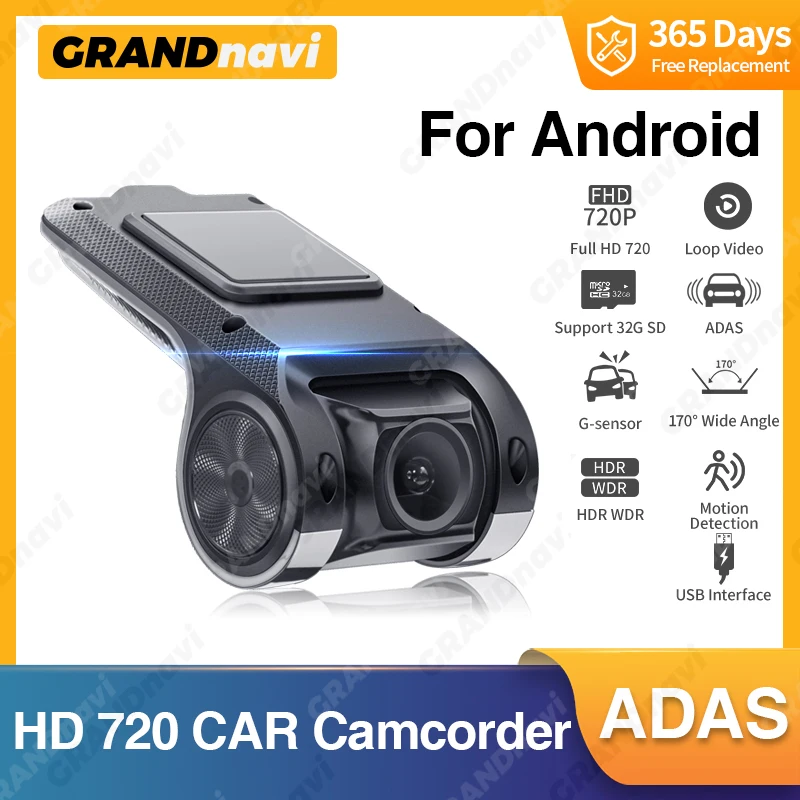
Grandnavi HD Car DVR Dash Cam ADAS Video 720P USB TF Card 16G/32G Auto Recorder for Android Multimedia Player DVD Voice Alarm
Return&refund policy
Eligible items are covered by return and refund support. If the item does not arrive or is not as described, the buyer can request help.
Security & Privacy
Safe payments: We do not share your personal details with any third parties without your consent.
Secure personal details: We protect your privacy and keep your personal details safe and secure.
AI offer for your market
A curated pick based on category, shipping route, delivery speed and popularity in your selected market.
Why this product fits your market
- • Strong customer signal: 4.7★ from 200 reviews.
- • Recommendations focus on this product category and your market availability.




Product specifications
Detailed product description
This product is shown with available options, market-specific pricing and verified specifications.
- Brand: grandnavi
- Sales: 500+
- Package size: 15 × 10 × 5 cm
- Package weight: 0.15 kg
- Rating: 4.7 / 5
Before adding to cart, choose an available option and check the quantity.
DVR does not support connecting to any other device, It can only connect to Android car radio. If your car does not have an Android radio, it is not suitable for your car. Please do not buy!
How to connect DVR to Android radio?
Product Features
*APK for convenient installation
*Clear starlight night -vision video picture
*Lane departure warning ADAS
*Automatic function:Automatic recording when power on and automatic cyclic covering recording.
*Automatic synchronous vehicle-mounted time when power on
Please note
This DVR product is only applicable to our Android car radio to watch videos, It can not directly display the video on your original car machine, you need to use the SD card to read the data to display.
Connect to USB to use
You can watch videos on the car radio by connecting USB. Easy to connect and easy to watch
Automatic recording when power on and automatic cyclic covering recording.
Lane departure warning ADAS
The device automatically triggers a lane departure alarm when the driver unconsciously deviates from the original lane.
Notes
Normally choose the random USB interface of the large screen host machine of connection,eg:USB1,Replace USB2 interface if the equipment can not be normally found
FAQ
Q: How do I install the DVR application?
A: We have reinstalled the application in dvr, just connect to your car radio, enter the file manager, find the Buildwin USB drive, click to enter, and then click to run "uCardvr.apk" to install and then complete
Q: How to make ADAS work properly?
A: Enter the settings of the DVR application, find ADAS, and turn on all functions. It may be necessary to update the software. It is easy. Just connect to the wifi and click Update
A: No, not all of them are supported
Q: How to watch the video recorded by DVR?
A: DVD is just to watch the video in real time. If you want to watch the video, please remove the SD card and then use a card reader to connect to the computer to watch