
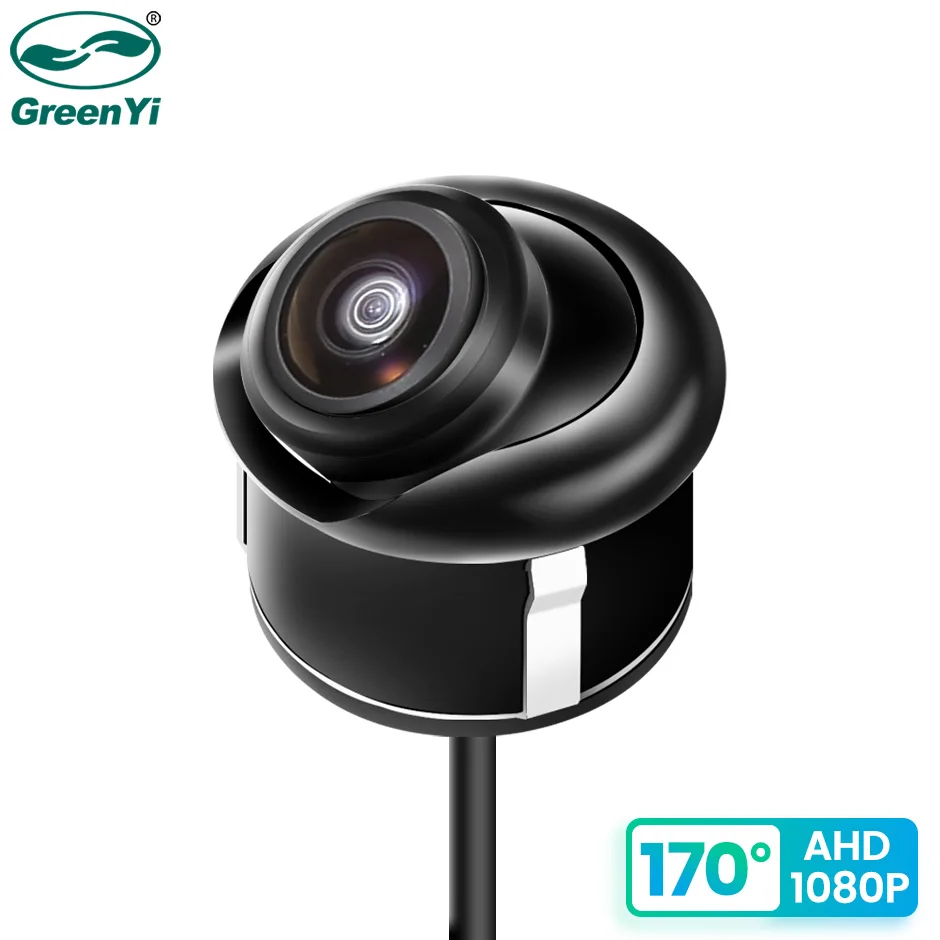
GreenYi AHD 1920x1080P Car Rear View Camera Full HD Night Vision 170° Fisheye Lens Vehicle Reversing Front Cam C828
Return&refund policy
Eligible items are covered by return and refund support. If the item does not arrive or is not as described, the buyer can request help.
Security & Privacy
Safe payments: We do not share your personal details with any third parties without your consent.
Secure personal details: We protect your privacy and keep your personal details safe and secure.
AI offer for your market
A curated pick based on category, shipping route, delivery speed and popularity in your selected market.
Why this product fits your market
- • Strong customer signal: 4.8★ from 97 reviews.
- • Recommendations focus on this product category and your market availability.


Product specifications
Detailed product description
This product is shown with available options, market-specific pricing and verified specifications.
- Brand: GreenYi
- Sales: 160
- Package size: 14 × 10 × 6 cm
- Package weight: 0.222 kg
- Rating: 4.8 / 5
Before adding to cart, choose an available option and check the quantity.
Tips, About AHD1080P Style
Please check whether the Android unit supports the AHD1080P camera!
If AHD1080P cannot be selected, AHD1080P cameras are not supported!
Cameras with CVBS video signals are universal for all monitors, but AHD will only work with AHD monitors!
170° Wide Angle
Fisheye Lens - Real 170°
AHD1080P Camera
Top Starlight Night Vision
Starlight night vision function allows the camera to be used properly even at night
Waterproof
The camera is filled with waterproof silicone, Effective chip protection
IP68-Rated for Use in Extreme Conditions
Conversion Line Control
White: Mirror control
Brown: Signal control
Green: Parking line switch
Pure Copper Cable
The video cable is made of high-quality pure copper, which provides better video transmission quality than cables that can be attracted by magnets.
Integrated Step-down Module
Package
1. GreenYi car camera
2. Retail box
3. Power cable (6m)
4. Drill
5. User manual
Installation Diagram
FAQ:
After connecting the rearview camera, the screen shows no signal, a black screen, and no picture, what should I do?
A) Please check your signal format (AHD/CVBS), and choose the right signal to run the camera.
B) Please check your connection, the red trigger line should connect to your reverse light and monitor the reverse-in cable.
C) If your monitor has an AUX-IN function, you can connect to the AUX-IN.
Tip: CVBS cameras can test the performance of the TV. Universal cameras with 4Pin plugs can only be installed with our cables. You can consult customer service if you encounter any problems during the installation process.
After connecting the rearview camera, the screen shows black and white, what should I do if there is no color?
A) Choosing the wrong camera system(such as PAL/NTSC) will cause the screen to be black and white. Please select the right system to run the camera and restart the camera power. CVBS camera is an NTSC system, and the AHD1080P camera is a PAL system.
B) Please check whether the 6M line is normal, please replace it with another 6M cable to test the camera.
What functions are controlled by each of the 3 cables of the rearview camera?
Brown Cable: Video Signal Control
Default ( AHD1080P )+( 1920x1080 )+( 170° )
Cut the white cable→
( CVBS )+( 1280x720 )+( 170° )
White Cable: Mirror Control
Front view camera ( Non-mirroring )
You can also manually rotate the sphere angle 90 °, to achieve the effect of the side camera
Green Cable: Parking Line Control