
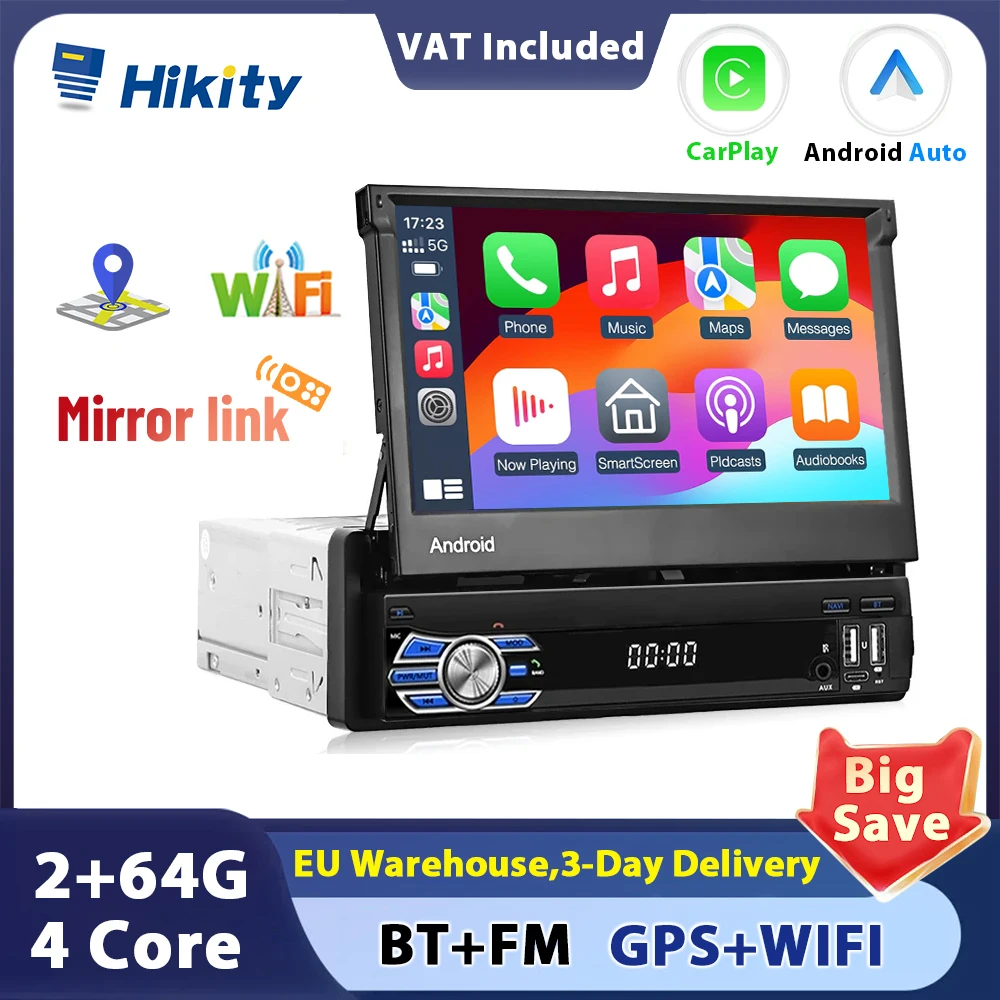
Hikity 2+64G Android Car Radio carplay Autoradio 1Din 7'' Touch Screen Car Multimedia Player GPS Navigation Wifi Auto Bluetooth
Return&refund policy
Eligible items are covered by return and refund support. If the item does not arrive or is not as described, the buyer can request help.
Security & Privacy
Safe payments: We do not share your personal details with any third parties without your consent.
Secure personal details: We protect your privacy and keep your personal details safe and secure.
AI offer for your market
A curated pick based on category, shipping route, delivery speed and popularity in your selected market.
Why this product fits your market
- • Estimated delivery: 7.
- • Strong customer signal: 5.0★ from 1 reviews.
- • Recommendations focus on this product category and your market availability.
Product specifications
Detailed product description
This product is shown with available options, market-specific pricing and verified specifications.
- Brand: Hikity
- Package size: 31 × 16 × 11 cm
- Package weight: 1.6 kg
- Rating: 5.0 / 5
- Reviews: 1
Before adding to cart, choose an available option and check the quantity.
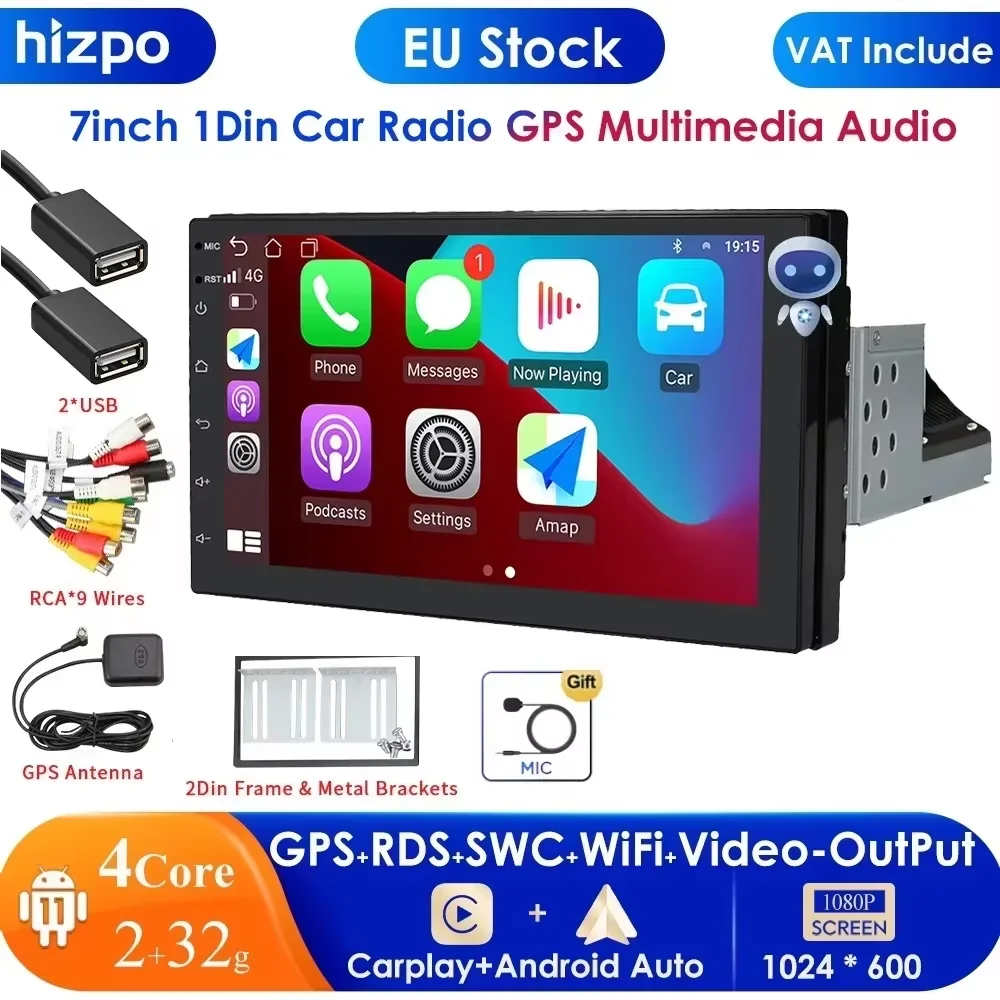
Hikity 1 Din Universal Car Radio Android 2+64G/ 1+32GB 1 Din GPS Wifi Navigation 7'' Retractable Screen Autoradio Bluetooth
Features
1.7'' HD 1080P Large-screen intelligent navigation,capacitive folding touch screen, instant response,not stucking
2.Support Android/ Iphone Mirror Link
3.GPS Navigation:Support many kinds of navigation App such as Baidu Map,Gaode Map,Google Map,built-in offline map
4.FM Radio:High-quality digital stereo FM radio,18 stations can be preset,listen to newsletters and traffic information anytime, anywhere.
5.Multiple playback modes:Support USB playback&AUX music playback&Bluetooth playback
6.Rear view camera input function(optional):Need to choose the camera, if connect to a car backup camera, the car stereo monitor will turn to rear view reversing details automatically(require optional)
7.Support WIFI connection, online video playback and online map navigation
8.Lossless audio: EQ sound give you the pleasure of the concert scene
9.Support DVR input function,easy to control DVR on the display screen.(DVR is optional, need to buy DVR seperately)
10.Steering wheel control:Support original car steering wheel button learning function, through it you can control the functions that you need by steering wheel, more convenient
Specifications
System:Andriod
Size:7 Inch
Bluetooth:Bluetooth 4.0
Resolution:1024*600
Voltage:12V
Power Output:60W
Memory:2G +64G / 1+32GB ( Optional )
Audio format:MP3/WMA/WAV/FLAC/APE
Video format:RM/RMVB/MP4/AVI/MKV/3GP
Image foramt:JPG
FM Range:FM 87.5~108MHz
Operating temperature:-10℃ ~ 60℃
USB Interface:USB 2.0
Language:English/Indonesian/Malay/Czech/Danish/German/Spanish/Filipino/French/Croatian/Italian/Latvian/Lithuanian/Hungarian/Dutch/Norwegian Bokmal/Polish/Portuguese/Romanian/Slovak/Finnish/Swedish/Vietnamese/Turkish/Greek/Bulgarian/Russian/Ukrainian/Hebrew/Urdu/Arabic/Persian/Hindi/Bengali/Thai/Khmer/Korean/Chinese(Simplified/Traditional)/Japanese
Package Included
1 x Car MP5 Player
1 x GPS antenna
1 x Power Cable
1 x Speaker Cable
2 x Disassemble key
1 x User Manual
FAQ
1.Why can't turn on the car radio?
1.1Please check the Voltage of car radio: 12V
1.2When
you test this car radio,you can combine the red and yellow wires and
connect them to the positive side of the power supply.Black line to
negative power supply.
1.3Replace the same type of insurance to test the car radio.
Note
Please must use our power cables to connect our car radio,it is not
possible to insert the original car plug directly into our machine.
2.Why the car radio will show "No Signal" when we reversing?
Please check if the camera's line is properly connected to the car radio.
Note:The video port of rear camera must insert the "CAMIN" port of car radio.
3.Why does the camera display "!" and "Can't watch video while driving" when I use USB to watch videos?
Please turn off the "Video Warning" function in the settings,then will be OK.
4.Why can't search FM?
4.1: No radio antenna inserted
4.2: Please check if the radio antenna is plugged in. Please insert more antennas several times to make it well contacted
4.3: The signal of your location is not good. Please go to a better place to test again
4.4: The radio antenna on the car is broken/no effect; please replace the radio antenna and test again.
5.Why can't connect the Bluetooth of car radio?
5.1.Open
function, search for Bluetooth devices, find the player's Bluetooth
model to be paired; if you need a pairing code, enter 0000; if not, try
1234 or 123456.
All
methods are correct and still cannot use Bluetooth, Please unplug the
plug on the back of the player and plug it in after 3 minutes.