
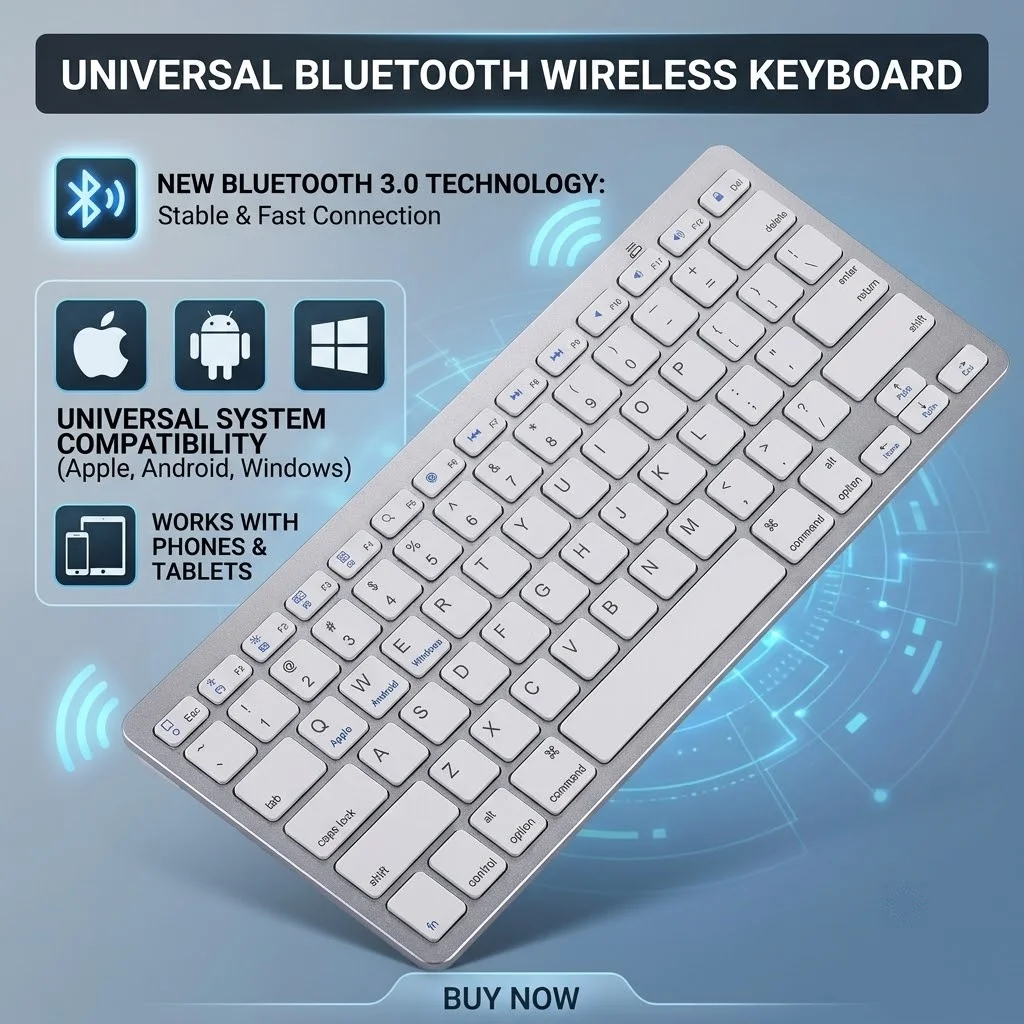
JITE 2.4G Ultra-thin Bluetooth Keyboard 5.0&3.0&2.4G for iPad Pro Mini Air Tablet, iPhone, Samsung, Android Smartphone
Return&refund policy
Eligible items are covered by return and refund support. If the item does not arrive or is not as described, the buyer can request help.
Security & Privacy
Safe payments: We do not share your personal details with any third parties without your consent.
Secure personal details: We protect your privacy and keep your personal details safe and secure.
AI offer for your market
A curated pick based on category, shipping route, delivery speed and popularity in your selected market.
Why this product fits your market
- • Strong customer signal: 4.9★ from 607 reviews.
- • Recommendations focus on this product category and your market availability.



Product specifications
Detailed product description
This product is shown with available options, market-specific pricing and verified specifications.
- Brand: NONE
- Sales: 1000+
- Package size: 37 × 3 × 13 cm
- Package weight: 0.5 kg
- Rating: 4.9 / 5
Before adding to cart, choose an available option and check the quantity.
Please note
2.Dear friends, please note that you need a separate keyboard or a keyboard and mouse set. We have different options. Please pay attention to purchase, thank you!
Bluetooth three-mode wireless keyboard
1. Scissor foot interface
2. Lightweight and portable
3. Simple and stylish
4.Bluetooth 5.0+Bluetooth 3.0+Wireless 2.4G
connection method
1. Turn the power switch to ON to turn on the keyboard
2.4G mode: (system default)
Take out the USB receiver and plug it into the computer, you can use it
Bluetooth mode: Press and hold FN+1 or FN+2on the keyboard, long press the combination for 3 seconds, the Bluetooth flashes, and the Bluetooth device 1/2 enters the searched state. Device side-open system settings-turn on Bluetooth-search and add to use
Multi-device connection
1.FN+1: Connect to Bluetooth device 1
2. FN+2: Connect to Bluetooth device 2
3.FN+3: connect to usb, 2.4G wireless reception
4. FN+1,2,3 combination single press: you can switch paired devices
5. FN+1,2, press and hold the combination for 3 seconds: flashing light, you can start the searched state (connecting to a new device)
FN+Q: Android mode FN+W: window mode FN+E: Apple ios mode
Supplementary instructions for connection
1. For the first connection, you need to switch the keyboard to the corresponding system
2. For switching, the function keys may not be used normally.
3. The keyboard use distance is 5-10m, different equipment and environmental factors have a relationship with the distance
note
1. When the keyboard cannot be searched, try to switch the device side Bluetooth to search again
2. When the keyboard is turned on and there is no indicator light, try to charge the keyboard
3. After connecting to other devices, you need to delete the old records before you can connect to the original device again
4. When the pairing fails, you need to delete the failed pairing record, and then perform the second pairing5.Attention!!! The set model requires an additional purchase or self-preparation of 4 AAA batteries. The single keyboard requires 2 AAA batteries.