
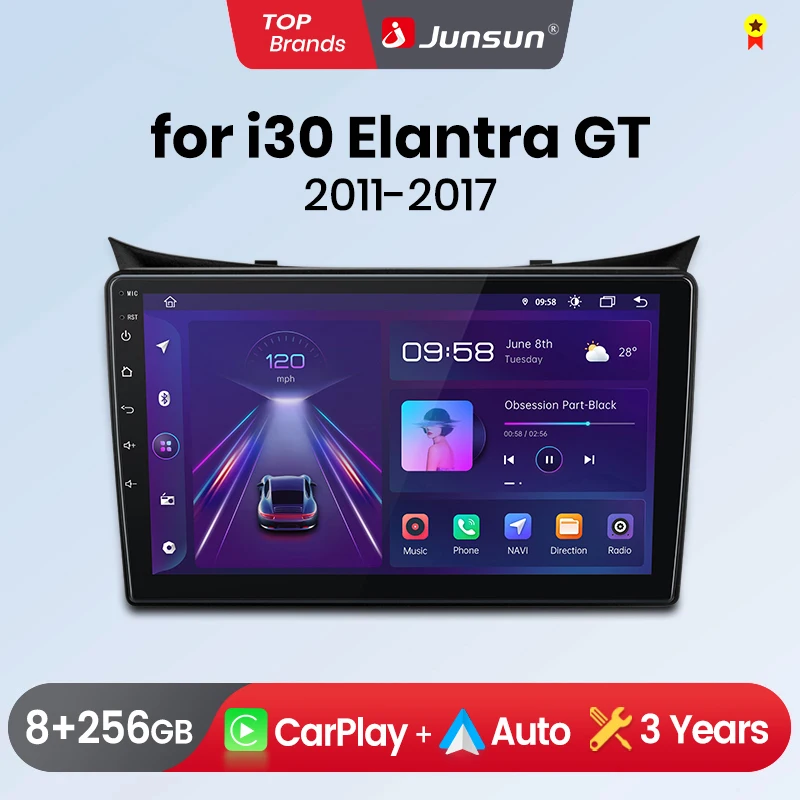
Junsun CarPlay Android Auto Car Radio for Hyundai I30 Elantra GT 2011-2017 GPS Intelligent Systems tereo Multimedia Car Radio
Return&refund policy
Eligible items are covered by return and refund support. If the item does not arrive or is not as described, the buyer can request help.
Security & Privacy
Safe payments: We do not share your personal details with any third parties without your consent.
Secure personal details: We protect your privacy and keep your personal details safe and secure.
AI offer for your market
A curated pick based on category, shipping route, delivery speed and popularity in your selected market.
Why this product fits your market
- • Recommendations focus on this product category and your market availability.


Product specifications
Detailed product description
This product is shown with available options, market-specific pricing and verified specifications.
- Brand: Junsun
- Package size: 40 × 30 × 20 cm
- Package weight: 1.5 kg
- Rating: 0.0 / 5
- Color: V1C (2GB 32 GB)
Before adding to cart, choose an available option and check the quantity.
Purchase FAQ
1.Is it suitable for your car?
1)Check the corresponding model and year of the product and car
2Check wether the position of the radio before installation on the page is the same as that of your car
3Check if there are any compatibility memories on the page.
2.This product supports the original because steering wheel control buttons. If it is not available after installation
Please scroll to the bottom of the page to view the method of reading the steering wheel buttons
3.Supports aftermarket cameras in AHD 1080P,AHD720P, CVBS, PAL, CTSC format
4.V1C/V1 PRO C/V1 PLUS/V2 Plus Version Wireless CarPlay/Android Auto function media
5.The power cable is plug-and-play, please note that not all original because plugs need to be connected
6.Multimedia has a built-in microphone, and the original microphone will no longer be available after installation
>> Why choose Junsun?
3.All products have been passed strict quality test before ship, make sure high quality.
We provide updates for Firmware, malware, UI, GPS Navigation map for free.
>> JunSun V1 for Hyundai I30 Elantra GT Function
> Basic functions: Android 11 + 9 inch HD Screen + Quad Core 1.2GHZ (Eight Core 1.8GHZ optional) + DDR3 1GB Flash (2GB/4GB/6 GB/8GB optional) + 16 GB memory (32GB/64GB/128GB /256GB optional) + WIFI (4G Network optional) + Mirror link + Steel Control + RDS/DSP
> Special functions
1. pin to pin: Junsunradios' power cable is pin to pin, easy to install
PS
V1 /V1 Pro do not support
V1.C/V1 Pro.C/V1 Plus building-in Wireless Carplay and Android Auto
3. Support Headrest: Only JunSun V1C not support, the other version, drink accessories will support
> OPTonal accessories
1. APP: Addonal 100 +/AI Voice Control
2. AHD rear camera, ADAS & GPS Tracer DVR, Fire pressure monitor, ObD2, External Microphone, RCA cable, DAB +
>> ADAS function: Lane deviation warning & Front car reminder & Front distance warning.
The Junsun radio Wireless CarPlay and Android Auto supports, allowing you to use smartphone functions and applications such as navigation, music, call, and messaging during your journey. It offers a high-quality audio experience, enhancing the entertainment and convention of your driving experience.
PS:V1 C/V1 Pro C/V1 Plus are supported version.
Making the treble smell, the midrange richer and the bottom full. Support equalizer and position adjustment. Better Sound brings better journey.
PS:V1 Plus support,the UI of different versions is different, but the functions are all available.
Buy the following accessories to enable you to connect additional service, allowing your passengers to watch movie or play video games in the backseat.
Junsun has pre-installed offline mapings and is permanently free to up; And support back-time road conditions when connecting with the Internet.
You can use navigate and other applications at the same time, such as listing to music or turn on ADAS DVR functions ect. Make operation more suitable.
When reverse the car automatically switch to the reverse screen with the parking line to ensure the safety.
FAQ
1. How to connect the watch view camera?
1) Red cable ② is connected to the back light "+"
2) Black cable ① is connected to the “GND”
3)The reverse detection cable ④(Brown color) is connected to the red cable ③ which extending from the video output cable, please follow the picture below to connect.
2.How to set steering wheel controls?
1) There is no Canbus in the product, if you purchased V1/V1.C/V1 Pro/V1 Pro.C/V1 Plus, please ref to the picture to set
2) There is no Canbus in the product, if you purchased V1 Plus/V2 Plus 3D, please do to the picture to set
3.How to connect wireless Carplay and Android Auto?
After the pairing is successful, the car radio will automatically jump to the ZLink or AutoLink interface
4.How to connect wired Carplay and Android Auto?
5.How to change the Boot Logo?
6.This is the cable rental diagram for your Reference