
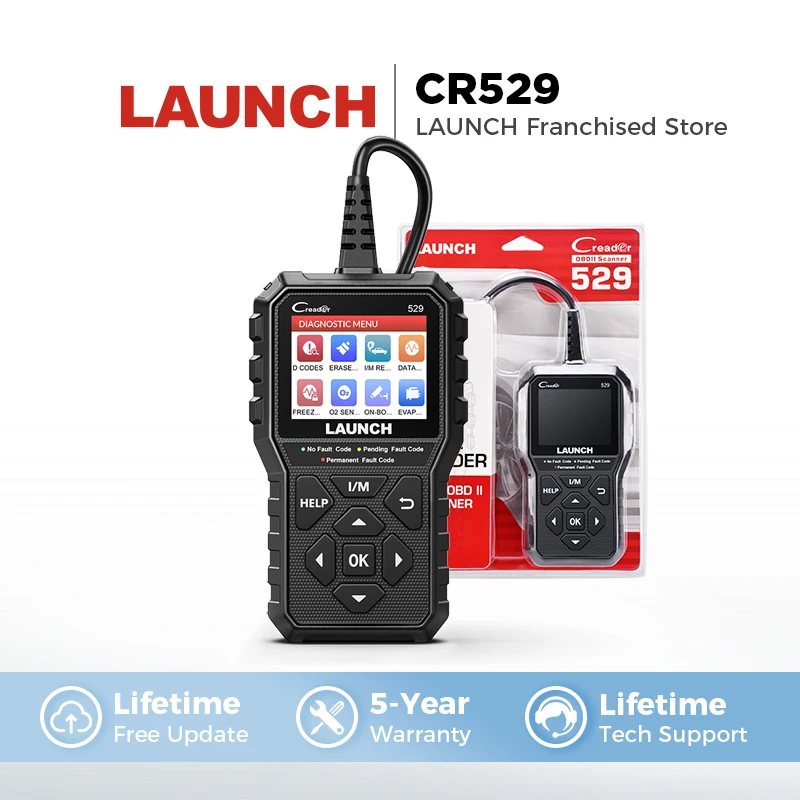
LAUNCH Creader 529 CR529 OBD2 Scanner Automotive Diagnostic Tools OBDII Code Reader Car Diagnost Auto Scan Tools Engine Check
Return&refund policy
Eligible items are covered by return and refund support. If the item does not arrive or is not as described, the buyer can request help.
Security & Privacy
Safe payments: We do not share your personal details with any third parties without your consent.
Secure personal details: We protect your privacy and keep your personal details safe and secure.
AI offer for your market
A curated pick based on category, shipping route, delivery speed and popularity in your selected market.
Why this product fits your market
- • Strong customer signal: 4.5★ from 35 reviews.
- • Recommendations focus on this product category and your market availability.





Product specifications
Detailed product description
This product is shown with available options, market-specific pricing and verified specifications.
- Brand: LAUNCH
- Sales: 64
- Package size: 35 × 30 × 5 cm
- Package weight: 0.5 kg
- Rating: 4.5 / 5
Before adding to cart, choose an available option and check the quantity.
Must Read Before Buying
LAUNCH CReader 529 DIY OBDII Scanner for Engine
A newly released advanced OBD
[Functions of LAUNCH CR529]
1. Read & Clear engine error codes.
Turn off 'Engine Check' MIL.
2. Live Data / Freeze Frame
When emission-related faults occur, certain vehicle conditions are recorded, so it can better locate the abnormal position and find the cause of the abnormality when it is repaired.
3.I/M Readiness
It indicates whether or not the various emissions-related systems on the vehicle are operating properly and are ready for Inspection and Maintenance testing.
4. VIN Code Reading Automatically
It can read the VIN code from the car ECU automatically.
5.Hard(memory) Codes Reading
6. Pending Codes Reading
7. Oxygen Sensor Test
CR529 allows retrieval and viewing of O2 sensor monitor test results for the most recently performed tests from the vehicle's onboard computer.
8. On-Board Monitor
It allows you to view the results of On-Board Monitor tests. The tests are useful after servicing or after erasing a vehicle's control module memory.
9. Vehicle Information
The option displays the vehicle identification number (VIN), the calibration identification, the calibration verification number (CVN), and other information about the test vehicle.
[See How Your Car React]
Want to watch what the sensors are reporting to ensure everything is reading inputs? Or want to make sure if any adjustments are needed to get the car running in normal condition? Now LAUNCH CR529’s Live Data screen comes in handy
Ignition Time: This tells you the speed at which the spark is igniting the fuel mixture.
Vehicle Speed: This shows you the exact speed at which the vehicle is running (km/h and m/h).
Engine RPM: Displays the number of revolutions made around the axis within a minute.
Absolute Throttle Position: Helps you understand the air intake of the engine.
Mass Air Flow: It’s a sensor that reads the mass flow rate of the air entering the combustion engine.
And more.
Even better, the data is presented in graphic format, which makes all the above much easier to monitor and evaluate.
[CR529 offers DTC Lookup Library]
You don't need to search the definition of the error code online.
Go to DTC Lookup menu, and input the error code, it will show the definitions.
[Other Features]
1. Record & Replay
Record all issues while doing the diagnostic work, and you can later on check the records related wherever, whenever
2. HELP Shortcut Key
Comfortably help you to resolve most basic issues in a second with tips.
3. LED Indicator
Quick and easy way to identify your vehicle’s status visually, via its Green, Yellow, and Red LED lights.
4. Print Via Computer
You can connect it to your computer and print the diagnostic report.
5. Update Via Computer
You can connect to your computer and update it via the Internet.
The upgrade process is straightforward and can be easily done via a USB cable.
Visit LAUNCH’s website. Download and install the update tool (Windows XP, 7, 8, & 10).
Connect the scanner to the computer via the USB cable.
Register the scanner using its serial number.
Fill in the required information and click [upgrade].
*Note: please make sure the internet connection is strong and stable while updating.
6. 3-Foot-Long Diagnostic Cable
You can drive your car, while the scanner reads data on the seat next to you.
[Car Coverage]
CR529 supports all OBDII protocols: KWP2000, ISO9141, J1850 VPW, J1850 PWM, and CAN (Controller Area Network). This scanner can work on most domestic, European, and Asian OBDII-compliant models manufactured from 1996 and newer.
[Supported Languages]
English, French, Spanish, German, Portuguese, Russian, Japanese.
[The Difference between CR529 and CR319]
[Update and Warranty]
Lifetime Free Update.
Five-year Warranty.
[Warm Tips]
1. Plug & play, no need to upgrade it before use
2. Must be 16 PIN OBD II port
3. Can only be updated via a PC (compatible with Windows XP, 7, 8 & 10, but not the iOS system).
[Product Display]