
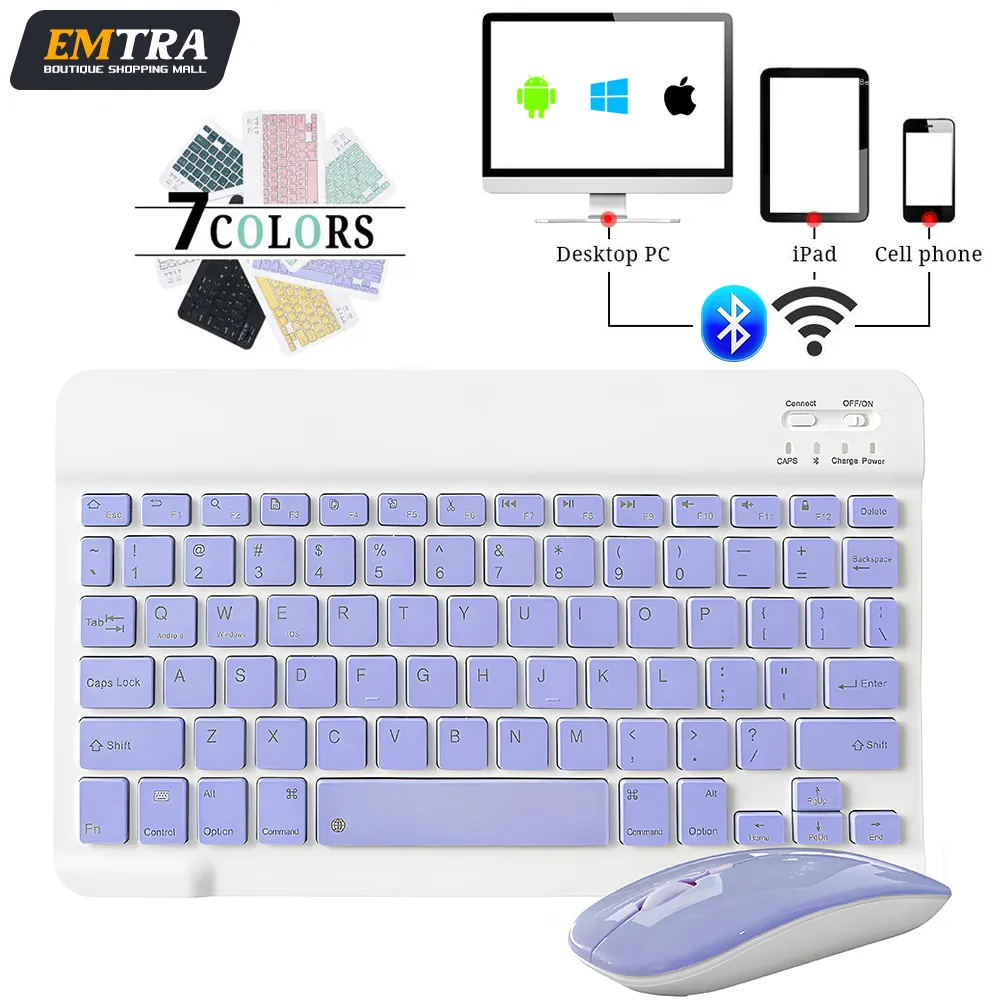
Mini Wireless Keyboard Bluetooth Keyboard For ipad Phone Tablet Portable Bluetooth Keyboard and Mouse For Samsung Xiaomi Android
Return&refund policy
Eligible items are covered by return and refund support. If the item does not arrive or is not as described, the buyer can request help.
Security & Privacy
Safe payments: We do not share your personal details with any third parties without your consent.
Secure personal details: We protect your privacy and keep your personal details safe and secure.
AI offer for your market
A curated pick based on category, shipping route, delivery speed and popularity in your selected market.
Why this product fits your market
- • Strong customer signal: 4.6★ from 1,812 reviews.
- • Recommendations focus on this product category and your market availability.

Product specifications
Detailed product description
This product is shown with available options, market-specific pricing and verified specifications.
- Brand: EMTRA
- Sales: 5000+
- Package size: 40 × 19 × 9 cm
- Package weight: 0.249 kg
- Rating: 4.6 / 5
Before adding to cart, choose an available option and check the quantity.
Product features:
1.BROAD COMPAYIBILITY
2.ULTRA-SLIM,LIGHTWEIGHT & PORTABLE
3.RECHARGEABLE AND AUTO SLEEP MODE
The universal wireless bluetooth keyboard uses built-in lithium battery, can be easily recharged through USB cable, no need to change the battery. The Built-in Rechargeable battery is incredibly long-lasting, standby time is about 6 months between charges. The bluetooth wireless keyboard can automatically enter into sleep mode in order to save energy.
4.STABLE CONNECTION
Advanced Bluetooth technology provides a cable-free connection with an operating range of 10 meters. But for Desktop PC Laptop without bluetooth function, you need to insert a third-party bluetooth adapter (not included) to install bluetooth driver before use.
5.COMFORTABLE and QUIET TYPING
The whisper-quiet, low-profile keys bring a whole new level of comfort to your fingertips. Besides, keep all your most-used functions and media controls closer than ever Windows-dedicated hot keys.
How to connect?
Bluetooth keyboard connection method
7''/10'' keyboard connection
1.Turn on the "on" button in the keyboard
2.Press and hold the "connection" key on the keyboard for 2 seconds
3. Turn on the Bluetooth device you need to connect to
4.Find "Bluetooth keyboard" in "my device" and click "connected"
Mouse connection modes
Bluetooth connection mode: open the 'on' button in the mouse, then open the Bluetooth device to be connected, find 'BT mouse' in 'my device', and then click 'connected'.
Mute keyboard design
99% noise reduction, extremely mute mute button, comfortable typing, perfect for study or office use.
Do not interfere with others rest The chocolate button is quiet and comfortable to bounce back
Stable Bluetooth Connection
The keyboard and mouse adopt advanced Bluetooth chip technology to provide stable and powerful cordless connection, it’s easy to connect and easy to use. The working range up to 10m. This keyboard features volume control, previous, next, and other media hot keys.
The mouse supports Bluetooth and 2.4GHz USB connection, the keyboard only supports Bluetooth connection.
This keyboard can handle almost any device that can connect to Bluetooth