
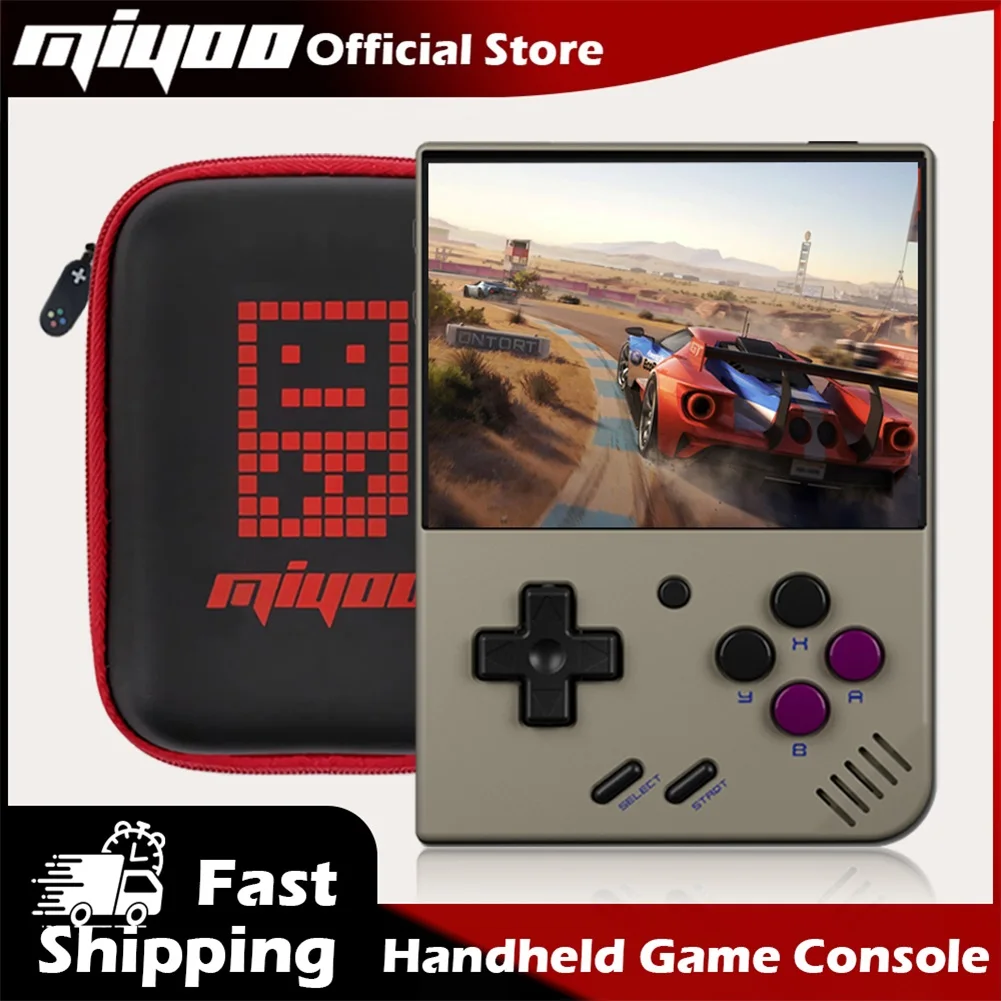
MIYOO Mini Plus Portable Retro Handheld Game Console 3.5"IPS HD Screen Mini+ Players Children's Gift Classic Gaming Emulator
Return&refund policy
Eligible items are covered by return and refund support. If the item does not arrive or is not as described, the buyer can request help.
Security & Privacy
Safe payments: We do not share your personal details with any third parties without your consent.
Secure personal details: We protect your privacy and keep your personal details safe and secure.
AI offer for your market
A curated pick based on category, shipping route, delivery speed and popularity in your selected market.
Why this product fits your market
- • Strong customer signal: 4.9★ from 94 reviews.
- • Recommendations focus on this product category and your market availability.


Product specifications
Detailed product description
This product is shown with available options, market-specific pricing and verified specifications.
- Brand: MIYOO
- Sales: 700+
- Package size: 21 × 11 × 14 cm
- Package weight: 0.39 kg
- Rating: 4.9 / 5
Before adding to cart, choose an available option and check the quantity.
Model
MIYOO Mini+
Screen size
3.5-inch IPS screen
Memory
128MB
Operating system
Linux
Sensor
Vibration motor
Color
Grey, white,Black,purple
Specifications
108mmX78.5mmX22.3mm
Weight
162g
CPU
ARM Cortex-A7 dual-core 1.2G
Storage expansion
32GB MicroSD (TF) Card Supports a maximum expansion of 128GB
Power
3.7V 3000mAh / 5V Charging interface supports 1.5A
Gift accessories
64GB TF Card x1, USB type-C data cable x1, Card reader x1, Manual x1.Screen protector x1
Question answering
Start using
1. Insert the TF card that has been installed with the game into the TF card slot
2. Charge the equipment to ensure normal startup
3. Start Up: press the power key for 1 seconds.
How to install games?
1. Take the TF card out of the machine,insert the card reader to connect to
the computer
and copy the "Game ROM" to the folder of the corresponding game type in the TF card
2. Insert the TF card into the TF card slot,Press [MENU] to open the MENU, and select "Refresh ROM".
On-off
Boot: long press the power supply for 1 seconds
Shutdown: press the power supply for 3 seconds to open the shutdown menu, and press [A] to shut down.
Idle mode, sleep mode,and wake up
60 seconds no operation enters the idle mode, and the screen becomes dark
In idle mode, press any button to wake up
No operation for 5 minutes or short press the power key to enter the sleep mode, close the screen and sound
and automatically shut down after 10 minutes without operation after entering the sleep mode
You can set the sleep time or disable sleep in the settings options
In sleep mode, press the power key to wake up.
Firmware Upgrade
1. Shutdown status.
2. Place the Mirror file in the root directory of the TF card
Insert the TF card slot and connect the charging line to enter the charging mode, and the nautomatically
start up and upgrade.
Do not power off during the upgrade.
In the game catalog, select a game and press[A]Start the game.
Exit the game
In the game, Press [MENU] to open the MENU, select the "Exit" option, and press [A] to Exit the game.
Save or read game progress
In the game, Press [MENU] to open the MENU, select the "Save" or "Load" option
press the direction key [LEFT, RIGHT] to select the recording position, press [A] to
save or read the current progress. A game can save up to 10 records.
Set
Press the arrow key [UP,DOWN] to select the setting items: screen brightness
volume, sleep time, which can be modified by the direction key [LEFT, RIGHT]
Select setting items: Language, key mapping
System Restore, etc., and press [A] to enter the corresponding setting page.
Pay attention to the following security precautions when using it
Do not spray any liquid on the machine body to avoid damage caused by liquid entering the machine
Do not modify, repair or disassemble the product
Do not use any diluent or volatile liquid to clean this product