
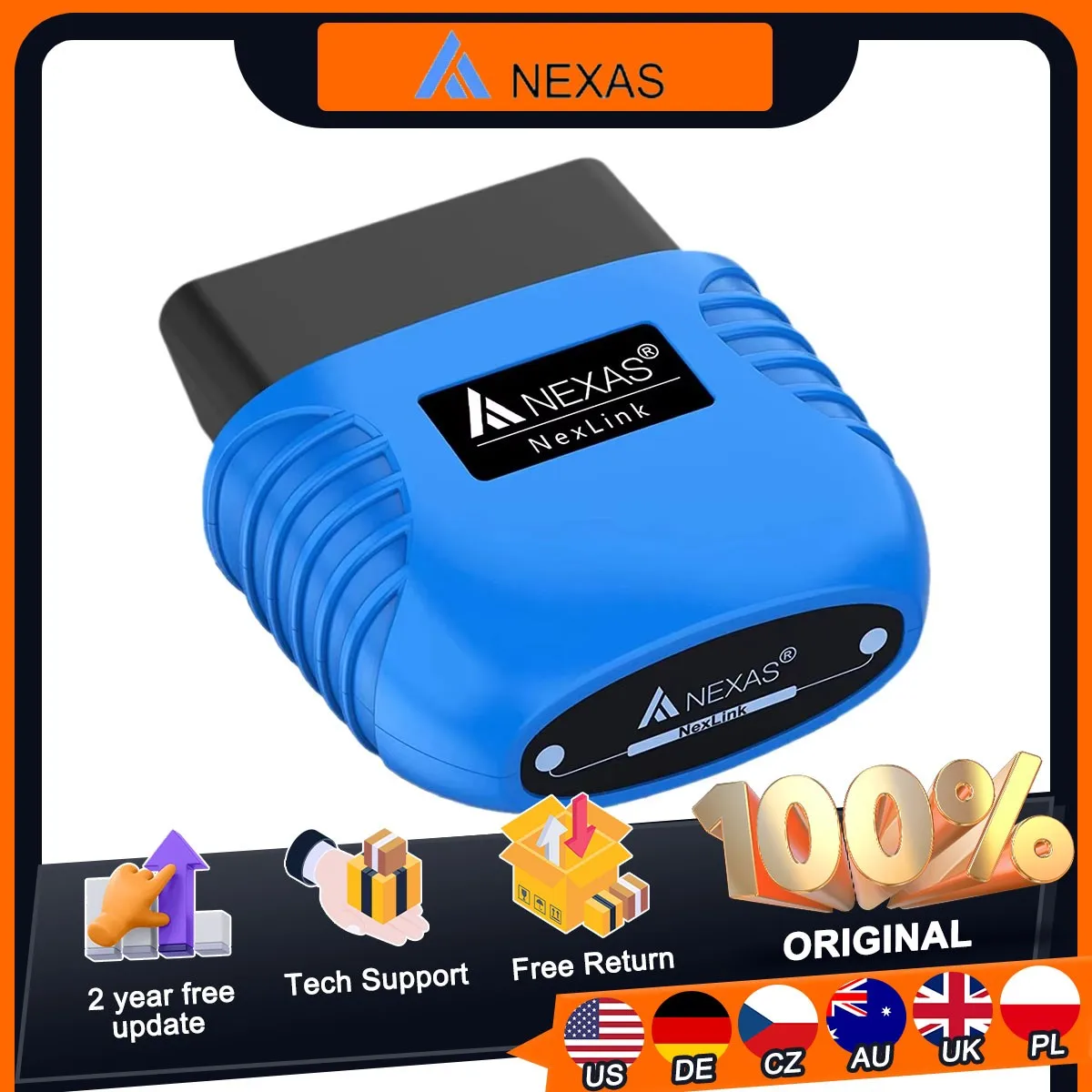
NEXAS NexLink Motocycle Diagnostic Tool Bluetooth 5.0 OBD2 EOBD Scanner for iOS Android Windows Fault Code Reader Check Engine
Return&refund policy
Eligible items are covered by return and refund support. If the item does not arrive or is not as described, the buyer can request help.
Security & Privacy
Safe payments: We do not share your personal details with any third parties without your consent.
Secure personal details: We protect your privacy and keep your personal details safe and secure.
선택 시장용 AI 오퍼
카테고리, 배송 경로, 배송 속도, 선택 시장 내 인기도를 바탕으로 선별했습니다.
이 상품이 현재 시장에 잘 맞는 이유
- • 강한 고객 신호: 리뷰 4.4개, 평점 123★.
- • 추천은 이 카테고리와 현재 시장의 가용성을 기준으로 합니다.



Product specifications
상세 상품 설명
This product is shown with available options, market-specific pricing and verified specifications.
- Brand: NEXAS
- Sales: 198
- Package size: 12 × 10 × 5 cm
- Package weight: 0.052 kg
- Rating: 4.4 / 5
Before adding to cart, choose an available option and check the quantity.
What Is NEXAS NexLink Bluetooth Code Reader?
📌 Please note
NEXAS Bluetooth Diagnostic Tool currently does not support Japanese motorcycles, such as Suzuki, Kawasaki, Yamaha, Toyota, etc.
Nexas NexLink is a user-friendly and small OBD2/EOBD Bluetooth interface that turns your smartphone, pad or laptop into a sophisticated diagnostic tool and real-time performance monitor. Download the required OBD2 app, connect the device, and you can read and clear vehicle fault codes, read live sensor readings, read various live data, etc. Moreover, there is no Bluetooth diagnostic device that can diagnose both cars and motorcycles, but Nexas NexLink can!
The device works for vehicles (which must be OBD2 compatible) all over the world, such as cars and light trucks (minivans, SUVs, pickups, etc.). Generally, these are vehicles sold in the U.S. that were manufactured after 1996, European vehicles manufactured after 2002, and Asian vehicles manufactured after 2008. Some gasoline vehicles manufactured in 1994 and 1995 are also OBD2 compatible (check the exhaust sticker under the hood to determine if it is OBD2/EOBD compatible). Vehicles in other regions that are OBD2/EOBD/JOBD compatible: Argentina-2008(domestic), 2009(import), Australia-2006(gasoline), 2007(diesel), Brazil-2007(gasoline), Canada-1998, China-2008(gasoline), 2011(diesel), European Union-2002 (gasoline), 2004(diesel), India-2010, Israel-2003, Japan-2008, Mexico-2006, Russia-2010, South Korea-2007, New Zealand-2006(gasoline), 2007(diesel).
Why Choose NEXAS NexLink Bluetooth Code Reader OBDII Scanner?
🚩Bluetooth 5.0: Stable connection and fast data transmission. Low power consumption, will not drain your car battery.
🚩Unique Motorcycle Diagnostic: This scan tool can be used not only for cars, but also for motorcycles. Take it with your motorcycle so you can ride safely.
🚩Dozens of compatible Apps: More are constantly being added, some may require a separate purchase, this depends on the APP developer.
🚩Unmatched Performance: NexLink is 200% faster than the nearest competitor - View multiple live parameters and enjoy smooth displays and graphics.
🚩Hacker-proof: Unique security mechanisms eliminate the risk of unauthorized access.
IMPORTANT NOTES
Support OBD2/EOBD Full Functions
Mode 01: Read dynamic data flow, display error light, ready status.
Mode 02: Query freeze frame data.
Mode 03: Reading the current error code.
Mode 04: Clear error code.
Mode 05: O2 sensor detection test.
Mode 06: Test the specific monitoring system for the vehicle.
Mode 07: Read pending fault codes.
Mode 08: Checking internal vehicle systems or components.
Mode 09: Reading vehicle information.
Mode 0A: Reading a permanent fault code.
Apps Compatible with NexLink Adapter
Please be aware that the Fee listed is for reference only and may change sometimes. Some apps offer inside-app purchase. Check out with APP provider.
Due to The service reset really depends on each motorcycles's configuration. Some models cannot perform service reset. thanks.
👉 Motoscan (Android ONLY)
For BMW motorcycles (motorcycles before 2017 need to buy a 10PIN adapter cable separately). With the Nexlink adapter, most BMW motorcycles (C, F, G, K, R, S and Husqvarna series) can be fully diagnosed (app must be version 1.66 or higher). An inexpensive solution for all hobbyists and professionals, which we have developed due to many requests from BMW bikers. Read ID, read and clear fault codes, read live data and perform a simple service reset, such as a removal reset, etc.
👉TuneECU (Android ONLY)
This APP supports diagnosis of more motorcycle models for Triumph, Aprilia, Benelli, Ducati & Moto Guzzi, Morini, Gilera, Husqvarna, KTM, BMW & CCM., etc.
👉Torque Lite/Pro (Android ONLY)
Most popular OBD2 performance and diagnostic tool for Android, supports PID import (retrieve fault codes, sensor data and more).
👉Autoscanner ELM OBD2 (Android, iOS, Windows)
See what your car is doing in real time, get OBD trouble codes, vehicle performance, sensor data, etc.
👉DashCommand (Android, iOS)
👉Carista OBD2 (Android, iOS)
Diagnoses, adjusts and services your vehicle, shows you a list of fault codes stored in your vehicle and their meaning. You can also reset the "Check Engine" light. (Dealer level technology for Audi/VW/Toyota/Lexus/BMW, etc.).
👉BimmerCode (Android, iOS)
Easily code the ECUs in your BMW or Mini F/G series. > > BimmerLink (Android, iOS): read fault codes from all ECUs and display sensor values in real time, check the current status of D- PF in your vehicle or register a new battery after replacement for BMW or Mini.
👉Leafspy (Android, iOS)
For Nissan Leaf owners to monitor battery and other vehicle information normally only visible to the dealer.
👉Dr. Prius (Android, iOS)
Helps professional Toyota/Lexus hybrid repairers or owners examine the condition of the high-voltage battery.
👉TrackAddict (Android, iOS)
OBD2 live monitor, code scan/reset and data logging.
👉Harrys LapTimer (Android, iOS)
The advanced tool for car enthusiasts. It records all kinds of sensor data provided by your smartphone (or external sensors), combines them and makes them available for optimizing your ride.
👉InCarDoc (Android, iOS)
Tool for reading engine codes, diagnostics, monitoring and logbook. Reads real-time and stored diagnostic parameters from ECU OBD2-compatible vehicles.
👉FORScan (Android, iOS)
Application specifically for computer diagnostics of Ford / Mazda / Lincoln and Mercury vehicles; reading and resetting fault codes (DTC) for all modules; reading sensors and other data (PIDs) from all modules. > > JScan (Android, iOS): a powerful Jeep diagnostic application. > > Piston (Android only): the application is designed with simplicity in mind.
👉OBD Auto Doctor (Android, iOS, Windows, Mac)
Read the status of readiness monitors, on-board diagnostic monitors, Diagnostic Trouble Codes (DTCs), Freeze Frame, Clear Codes and MIL; View OBD2 parameters and sensor data in real time to detect anomalies; Monitor OBD2 sensor data in numeric or graphical display; Support multiple electronic control units such as engine, transmission, etc.
👉Hybrid Assistant (Android ONLY)
Device Setup Instructions
Step 2: Locate the OBD2 diagnostic port and plug the device into the 16-pin Data Link Connector (DLC) on your vehicle. Make sure the connection is good. "RED LED" is always lit to indicate power. "BLUE LED" flashes when the device is connected for paring or communicating with ECU. If there is no communication, "BLUE LED" may be off.
Step 3: Turn the ignition key to the "ON" position (or start the vehicle in neutral).
Step 5: Run the App, make the connection settings. (Please refer to the detailed instructions of connection settings via each app).
Note: Please turn the ignition OFF and remove this OBD2 device from your vehicle after vehicle diagnosis.
Examples of App Setup
OBDFusion (Android, iOS): settings > preferences > communication > communication type > Select Bluetooth LE (iOS) / Bluetooth(Android).
DashCommand (Android, iOS): preferences > OBD2 adapter > Bluetooth device.
Motoscan ( Android)
Android Bluetooth connection settings require prior setup, pairing or connection.
Go to the Configure application (click the "≡ three line icon" in the upper left corner).
Click "Setting" > Select "Connection" > Connection type is set to Bluetooth > Bluetooth device selection Paired device "NEXAS***".
【Important Information】
This scanner only works on OBD2/EOBD cars, usually they are American cars from 1996, European cars from 2000 and Asian cars from 2006.
【Unique Motorcycle Diagnosis】
More functions are waiting to be discovered!
Dash Board Display: I/M Readiness, Battery test, Freeze frame, O2 sensor and EVAP system test, On-Board Monitoring, Performance Test, etc.
Data Flow Waveform: Read the live data, turn off engine check light in a blink of your eye.
Read and Clear Code: Read and clear fault code with the codes definition.
Diagnose Report Display: Diagnostic reports, Built-in OBD2 Fault code look-up library, no google and no guess.