
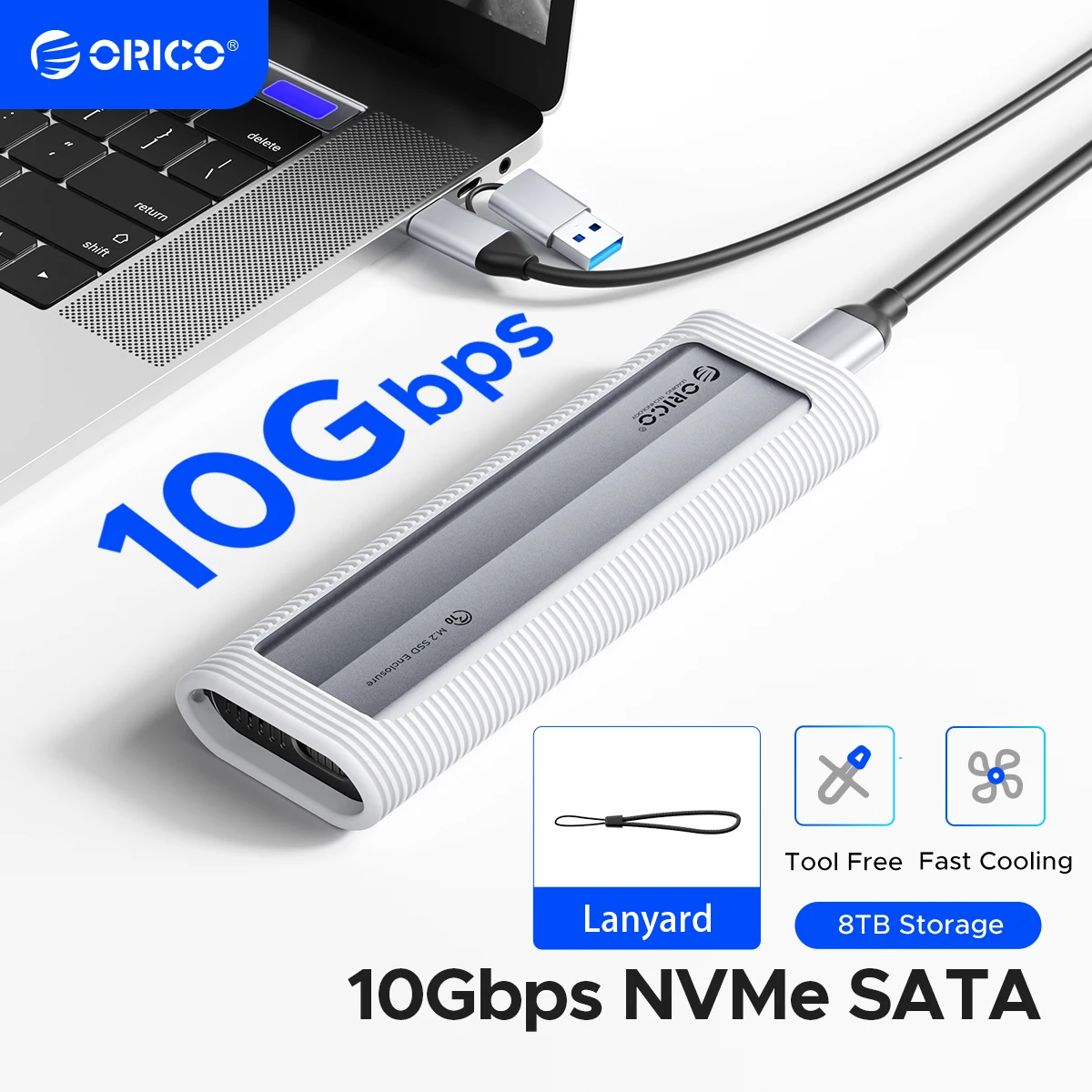
ORICO M.2 NVMe SATA SSD Enclosure Tool-Free USB External 10Gbps M.2 NVMe to USB Adapter Support UASP for PCIe NVMe and SATA SSD
Return&refund policy
Eligible items are covered by return and refund support. If the item does not arrive or is not as described, the buyer can request help.
Security & Privacy
Safe payments: We do not share your personal details with any third parties without your consent.
Secure personal details: We protect your privacy and keep your personal details safe and secure.
AI offer for your market
A curated pick based on category, shipping route, delivery speed and popularity in your selected market.
Why this product fits your market
- • Strong customer signal: 4.7★ from 417 reviews.
- • Recommendations focus on this product category and your market availability.



Product specifications
Detailed product description
This product is shown with available options, market-specific pricing and verified specifications.
- Brand: Orico
- Sales: 800+
- Package size: 21 × 12 × 5 cm
- Package weight: 0.158 kg
- Rating: 4.7 / 5
Before adding to cart, choose an available option and check the quantity.
Note: Please confirm the interface and compatible protocols before purchase!!!
The basic version does not include cooling vest; only the upgraded 2-in-1 version features cooling vest!!!
NVMe 10Gbps Model
Only support NVME PCI-E protocol M key SSD
SATA 5Gbps Model
Only support NGFF SATA protocol B key / B&M Key SSD.
Dual Protocol SATA & NVMe Model
Support M Key(NVMe Protocol) / B&M Key (both NVME and SATA Protocol) SSD, not compatible with B Key SSD.
Tool-free Portable M.2 SSD Enclosure with Silicone Protective Case
If you're looking to transfer your computer's OS and/or files to a new M.2, you definitely need to consider using ORICO's M.2 NVMe SATA SSD Enclosure to get the job done quickly and smoothly.USB3.2 Super Speed
When using NVMe SSD, the transmission rate is 10Gbps and the read and write speed is 1000MB/s. When using M.2 SATA SSD, the transmission rate is 5Gbps, and the reading and writing speed is 450MB/s.Improve Heat Dissipation
Built-in Metal cooling vest,silicone thermal pad and aluminium body, heat dissipation is fast. Normal operating temperature ranges between 40-50°C, similar to that of a laptop.note:Only Upgrade Version (NVMe/ Dual-Protocol) with Heat Dissipation Vest.Acceleration Protection
With short-circuit, over-current and multi-protection to ensure the safety of your SSD and valuable data, and supports UASP/ Trim with high transfer speed.Supports a Maximum Capacity of 4/8TB
The SATA ngff version supports 4TB, while the NVME and dual-protocol versions support 8TB.Comprehensive Protection,Safe and Portable
This ultra-slim aluminium external enclosure with extra silicone case and lanyard is portable yet durable, shockproof and anti-scratch, making it ideal for travelling.Tool-free Installation
Tool-free SSD enclosure for quick and easy installation. Plug and play, no drivers required. The buckle design of the M.2 SSD enclosure can ensure stable and fast transfer.
Compatible With Different SSDs
Compatibility SSD size:2230/2242/2260/2280.Data Cable
Please choose carefully before purchasing. The cables include a USB C to USB C cable and a 2-in-1 cable.
Basic Version Package List--USB C to C Cable (NO Cooling Vest)
Upgrade version package list
2 In 1 Cable (With Cooling Vest)
Q:After installing SSD, the computer is not read by the enclosure?
2.The new SSD needs to be partitioned and formatted for the first use, otherwise the device cannot recognize the SSD.
3.Confirm whether the system supports large-capacity hard drives, WinXP 32-bit systems do not support hard drives above 2T.
4.Confirm whether the hard disk format is consistent with the SSD format supported by the system. If not, please format the SSD into a hard disk format supported by the system.
Q:Why can't it write in Mac OS? But it can read and write normally under Windows.
A:Please confirm the format of your M.2 SSD. And Mac OS has to install NTFS reading software to read M.2 SSDs in NTFS format.
Q:Is there a sleep setting? Are there any interruptions in data transmission during sleep?
A:The M.2 enclosure will automatically hibernate after 10 minutes of computer inactivity. Once your computer has read them, it will not automatically sleep.
Q:Why is the speed not as fast as advertised?
A:The operating speed of the product is determined by the notebook, host performance,M.2 SSD performance, USB port type and so on. For the fastest read and write speeds, an NVMeSSD should be used, and the external enclosure for the M.2 SSD should be connected to a USB 3.1 GEN2 10G port.
Q:Why does it generate heat?
A:SSDs generate heat as they read and write at high speeds. The aluminum case of this product effectively transfers heat throughout the case, quickly releasing the high temperatures generated by NVMe SSDs when they are operating.
Q:What formats of disks do different systems support?
A:Hello. Windows:FAT32, exFAT, NTFS. MacOS:HFS+, APFS. Linux:EXT2, EXT3, EXT4, XFS, Btrfs. Android:FAT32, exFAT, NTFS, ext3, ext4(Requires a third-party application). iOS:APFS, FAT32(Requires a specific external storage device). BSD:UFS. Solaris:ZFS.