
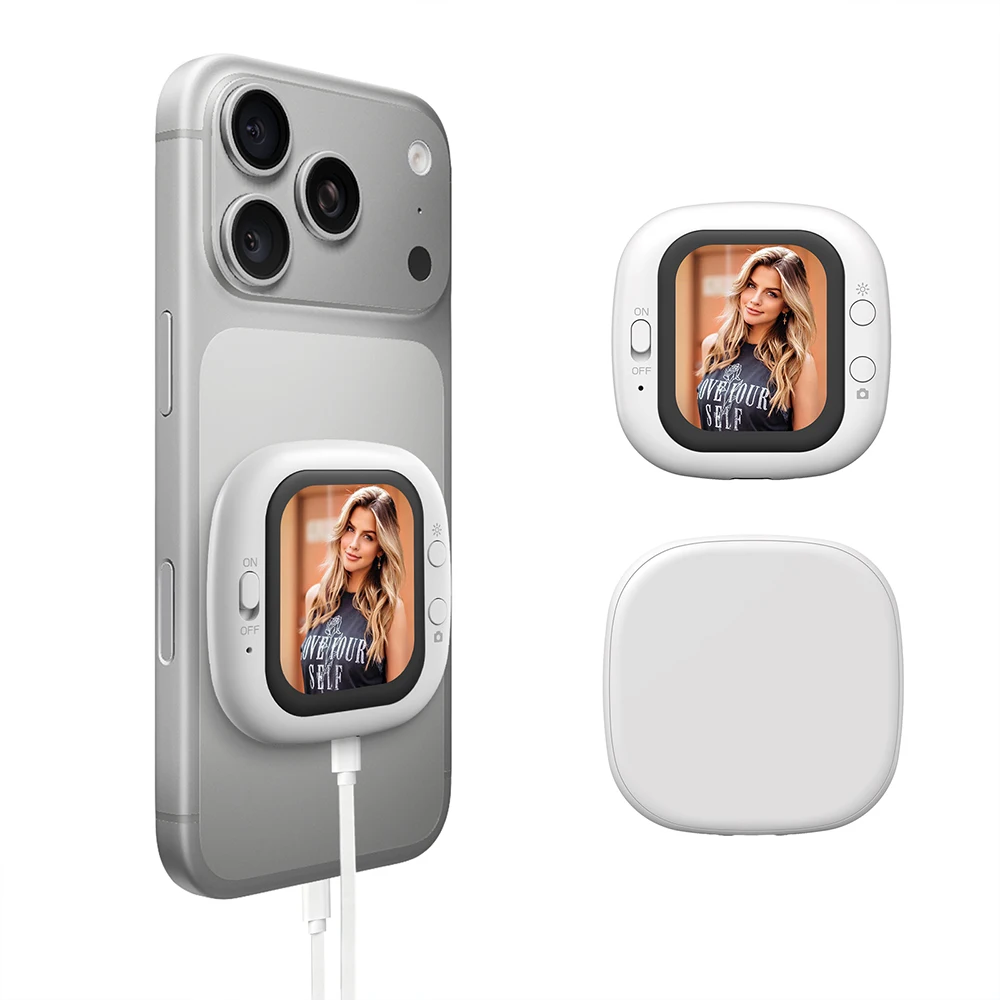
Phone Vlog Selfie Monitor Screen Phone Holder Clip Mount Rear Camera Selfies Vlogging Live Selfie Screen Compatible FOR iPhone
Return&refund policy
Eligible items are covered by return and refund support. If the item does not arrive or is not as described, the buyer can request help.
Security & Privacy
Safe payments: We do not share your personal details with any third parties without your consent.
Secure personal details: We protect your privacy and keep your personal details safe and secure.
AI offer for your market
A curated pick based on category, shipping route, delivery speed and popularity in your selected market.
Why this product fits your market
- • Strong customer signal: 4.3★ from 31 reviews.
- • Recommendations focus on this product category and your market availability.


Product specifications
Detailed product description
This product is shown with available options, market-specific pricing and verified specifications.
- Brand: NONE
- Sales: 700+
- Package size: 24 × 19 × 3 cm
- Package weight: 0.114 kg
- Rating: 4.3 / 5
Before adding to cart, choose an available option and check the quantity.
【Easy and Stable Operation】Vlog makes shooting easier than ever before, with just three steps of snap, cable insertion, and shooting to enter the state of creating vlogs. Plug and play, immediately open the rear camera preview after connection, eliminating complex settings. Adopting a high-speed wired connection mode, it provides more stable signal transmission than wireless WiFi links, ensuring smooth and uninterrupted live view images and avoiding the risk of disconnection.
【Bright and Clearly Visible】The selfie monitor screen is equipped with a high brightness AMOLED screen, ensuring a brightness of up to 700 nits (twice as high as similar products on the market) while maintaining 320PPI, ensuring clear display of framing content in various environments. Whether used indoors or outdoors under sunlight, it can ensure bright and clear images, avoiding issues that affect the shooting effect. The selfie screen adopts high-speed wired connection and ultra-low latency to ensure real-time synchronized framing, allowing users to react quickly and not miss any exciting moments.
To ensure optimal use of the device, please read the user manual carefully.
CDo not expose this product to direct sunlight, high temperatures, or humid environments.
When using this product, keep it away from strong light to obtain the clearest and most colorful images. Please use a sunshade when outdoors.
Avoid violent impacts or drops.
Do not use chemical solutions to clean this device. Wipe with a clean, soft cloth to maintain surface shine.
If the device does not have adjustable components, do not disassemble or repair it yourself to avoid damaging the product.
Product Specifications
Screen Size: 201 inch
Screen Resolution: 240*308 pixels
Screen Viewing Angle: Full-angle
Supported Systems: Android and iOS
Screen Brightness: 4-level adjustable / 500cd/㎡ (maximum)
Input Power: Type-C 5V 1A
Power Consumption: 0.8W
Connectivity: Wired connection + Bluetooth
Operating Temperature Range: -10~+40℃
Storage Temperature Range: -30~+40℃
Product Dimensions: 58*58*8mm
0——201” LCD Display
1——Power Switch
2——Power Indicator (Red)
3——Type-C Port
4——Camera Button
5——Backlight Brightness/Screen Mirroring Button
Button Function Description
Backlight Brightness: Short press this button to adjust brightness from level 1 to 4; long press to mirror the image.
Power Switch: Turn the switch to the ON position to turn on the power.
Power Indicator: Indicates red when the power is on.
2. Turn on the display.
3. Your iPhone will automatically connect and project its information onto the display. (For first-time connection, the password is 1234)
5. Open Bluetooth settings, search for the "D12" Bluetooth device, and pair and connect.
6. Open the camera app and press the "Shoot" button to take a photo with the rear camera.
Accessories
1* Selfie Display Screen
1* Type-C Cable
1* Instruction Manual