
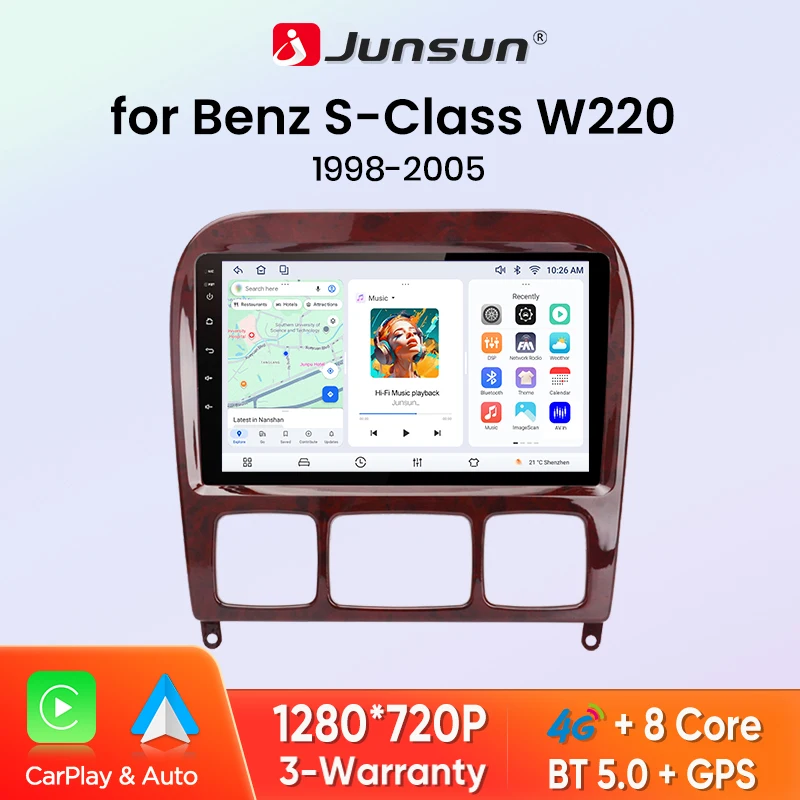
Junsun 8 Core Wireless CarPlay Android Auto Car Radio For Mercedes Benz S Class W220 S280 S320 S350 S400 S430 S500 S600 AMG 1998-2005 4G WiFi GPS Navigation Multimedia
Return&refund policy
Eligible items are covered by return and refund support. If the item does not arrive or is not as described, the buyer can request help.
Security & Privacy
Safe payments: We do not share your personal details with any third parties without your consent.
Secure personal details: We protect your privacy and keep your personal details safe and secure.
AI offer for your market
A curated pick based on category, shipping route, delivery speed and popularity in your selected market.
Why this product fits your market
- • Recommendations focus on this product category and your market availability.
Product specifications
Detailed product description
This product is shown with available options, market-specific pricing and verified specifications.
- Brand: Junsun
- Package size: 40 × 30 × 30 cm
- Package weight: 20 kg
- Rating: 0.0 / 5
- Color: PX1 (2GB 32GB)9"
Before adding to cart, choose an available option and check the quantity.
Warning message
If your car has such a cable interface (see picture), please do not buy it, it is not supported.
Core Features — Revitalize In-Vehicle Smart Experience
📌 Powered by the Android system, it supports wireless CarPlay/Android Auto and screen mirroring, paired with a high-definition touchscreen for smooth operation. Equipped with 4-8 core processors and flexible storage, it enables efficient multitasking. Boasting stable Bluetooth, convenient updates, and a built-in GPS (with an external antenna) to ensure navigation in weak-signal areas (offline maps require pre-download). It can also connect to various expandable accessories (sold separately) for enhanced convenience.
Version Recommendations — Precisely Fit Your Needs
It built-in 8 core processor system to provide you with smarter and more efficient services.
Launched a new interactive mode, making the operation simple while not losing its beauty.
Safe and reliable emotional voice interaction, recognizing voice passwords, a thoughtful voice assistant.
Equip your car with a'smart brain' and make it think like a think tank. Support multiple application scenarios, such as text creation,dialogue systems, question answering systems, summary generation, etc.
Built in 360 degree panoramic imaging function, only 4 cameras need to be installed to obtain 360 degree images of the surrounding area, allowing you to see the blind spots clearly and avoid potential risks caused by blind spots.
Install and calibrate according to the method, with clear and intuitive four channels in front, back, left, right, left, and right.O1: Two screens are placed at the front and rear of the car, with a distance of approximately lcm between the screen and the car. The installation angle and camera position are the optimal viewing angles.
O2: Two screens are placed at the front and rear of the car,with a distance of approximately 1cm between the screen and the car. The installation angle and camera position are the optimal viewing angles.Deliver a clearer and more vibrant picture with brighter colors, bring movies and shows to life.
The radio will switch between day and night modes with car headlights to make the overall brightness of the screen closer to the environment.
The Junsun radio supports Wireless CarPlay and Android Auto, allowing you to use smartphone functions and appli-cations such as navigation, music, calls, and messaging during your journey.
Our high-definition car navigation deyice offers premium sound quality, delivering crisp highs and esonating lows.
Covering more than 20 countries and regions, with over 10,000 radio stations available for listening.TOP30 popular charts are updated weekly, with intelligent recommendations for trending content.Bringing together main-stream radio stations from various countries, so you can listen even when you are far away.
Now you can use the "Junsun Onl ine"driving tracks, parking locations, and remote surveillance shooting (need buy S7o/S7ooS dashcam).
Advanced driver assistance systems, 1080P HD shooting, hidden installation, large screen display,ensureing safe driving.
When reversing the car automatically switch to the reverse.
You can load in to various websites download and update-various software online, allowing you to stay connected tothe internet wherever your journey takes you.
Navigation can be achieved easily by using the online and offline map.You can say'xxx' to wake up xxx,then say the online recognition command function and Nex will do the jobs.
The left and right screens can be separated with any applications, e.g. navigation for the main driver, playing video for the passenger, or one side listening to music and other side turning on ADAS dvr functions.
Common pre-sales inquiries:
1. Does it include a rear view camera?
The product accessories do not include a rear view camera. If you are interested in a rear view camera, please purchase separately
2. Does it support original/external microphones?
Please note that the accessory does not include the original microphone adapter.There is a microphone built-in the radio, If you want to use an external microphone, you can connect it through an RCA cable.
3. If you do not like the product, is it possible to return?
4. How can I determine if my car model is suitable?
Common post-sales inquiries:
1. How to connect the rear view camera?
1) Red cable ② is connected to the backup light "+"
2) Black cable ① is connected to the “GND“
3)The reversing detection cable ④(Brown color) is connected to the red cable ③ which extending from the video input cable, please follow the picture below to connect.
2.Why does the steering wheel control not work?
Please confirm if the accessory includes a Canbus first
1)There is no Canbus in the product, if you purchased PX1/PX2/PX4/PX9, Please enter Car Settings-General-SWC Type-Learing Type
2)There is no Canbus in the product, if you purchased PX2, Please enter Settings-Car information-SWC-Learing Type
3.How to connect wireless Carplay and Android Auto?
After the pairing is successful, the car radio will automatically jump to the Zlink or AutoLink interface
4.How to connect wired Carplay and Android Auto?
5.How to change the Boot Logo?