
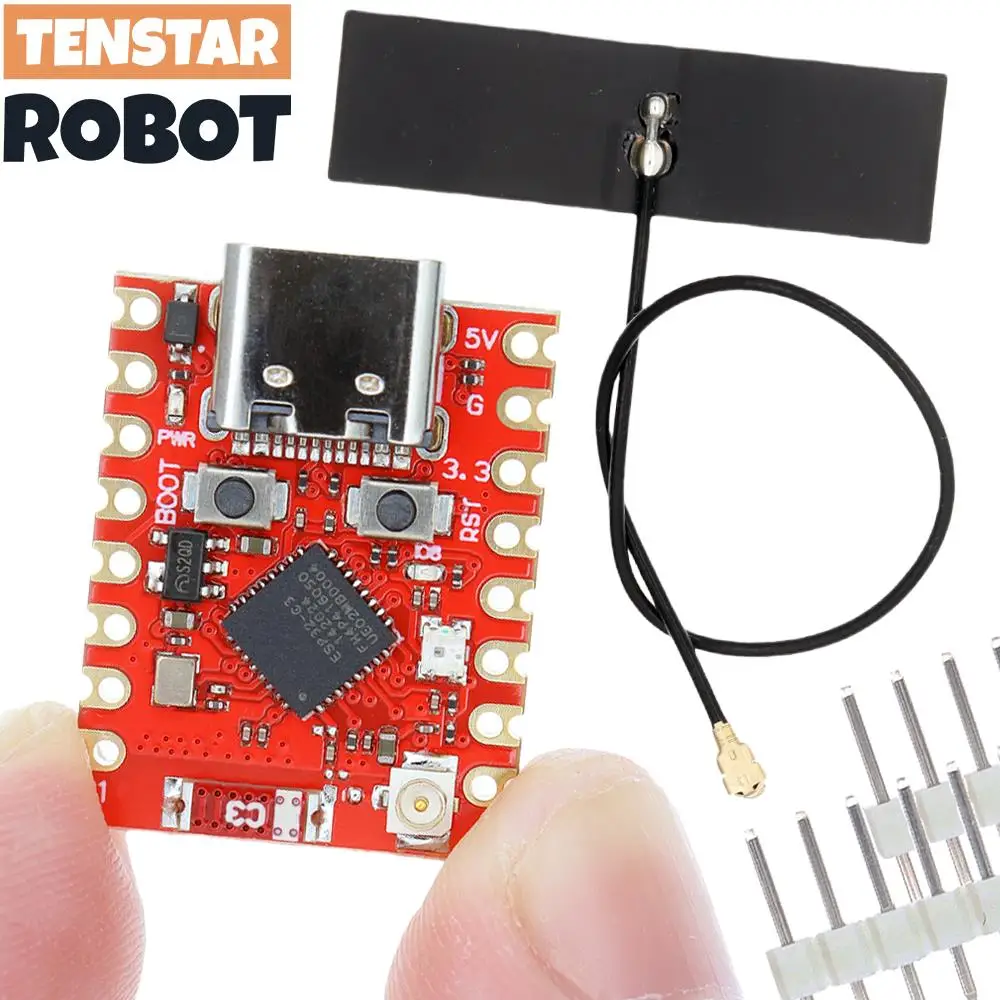
TENSTAR ESP32-C3 Supermini Plus Development Board WiFi Bluetooth ESP32 C3 Super mini V2.0 Red Board
Return&refund policy
Eligible items are covered by return and refund support. If the item does not arrive or is not as described, the buyer can request help.
Security & Privacy
Safe payments: We do not share your personal details with any third parties without your consent.
Secure personal details: We protect your privacy and keep your personal details safe and secure.
AI offer for your market
A curated pick based on category, shipping route, delivery speed and popularity in your selected market.
Why this product fits your market
- • Strong customer signal: 4.9★ from 479 reviews.
- • Recommendations focus on this product category and your market availability.



Product specifications
Detailed product description
This product is shown with available options, market-specific pricing and verified specifications.
- Brand: BOARDTSTAR
- Sales: 4000+
- Package weight: 0.01 kg
- Rating: 4.9 / 5
- Reviews: 479
Before adding to cart, choose an available option and check the quantity.
#include "WiFi.h"
void setup()
{
Serial.begin(115200)
// Set WiFi to station mode and disconnect from an AP if it was previously connected
WiFi.mode(WIFI_STA)
WiFi.disconnect()
delay(100)
Serial.println("Setup done")
}
void loop()
Serial.println("scan start")
// WiFi.scanNetworks will return the number of networks found
int n = WiFi.scanNetworks()
Serial.println("scan done")
if (n == 0) {
Serial.println("no networks found")
} else {
Serial.print(n)
Serial.println(" networks found")
for (int i = 0; i < n; ++i) {
// Print SSID and RSSI for each network found
Serial.print(i + 1)
Serial.print(": ")
Serial.print(WiFi.SSID(i))
Serial.print(" (")
Serial.print(WiFi.RSSI(i))
Serial.print(")")
Serial.println((WiFi.encryptionType(i) == WIFI_AUTH_OPEN)?" ":"*")
delay(10)
Serial.println("")
// Wait a bit before scanning again
delay(5000)
#include
const char* ssid= "your-ssid"; //your WiFi Name
const char* password = "your-password"; //your WiFi password
// We start by connecting to a WiFi network
Serial.println()
Serial.print("Connecting to ")
Serial.println(ssid)
WiFi.begin(ssid, password)
while (WiFi.status()!= WL_CONNECTED) {
delay(500)
Serial.print(".")
Serial.println("WiFi connected")
Serial.println("IP address: ")
Serial.println(WiFi.localIP())
WiFi.softAP("ESP_AP", "123456789")
Serial.print("Host Name:")
Serial.println(WiFi.softAPgetHostname())
Serial.print("Host IP:")
Serial.println(WiFi.softAPIP())
Serial.print("Host IPV6:")
Serial.println(WiFi.softAPIPv6())
Serial.print("Host SSID:")
Serial.println(WiFi.SSID())
Serial.print("Host Broadcast IP:")
Serial.println(WiFi.softAPBroadcastIP())
Serial.print("Host mac Address:")
Serial.println(WiFi.softAPmacAddress())
Serial.print("Number of Host Connections:")
Serial.println(WiFi.softAPgetStationNum())
Serial.print("Host Network ID:")
Serial.println(WiFi.softAPNetworkID())
Serial.print("Host Status:")
Serial.println(WiFi.status())
delay(1000)
int scanTime = 5; //In seconds
BLEScan* pBLEScan
class MyAdvertisedDeviceCallbacks: public BLEAdvertisedDeviceCallbacks {
void onResult(BLEAdvertisedDevice advertisedDevice) {
Serial.printf("Advertised Device: %s \n", advertisedDevice.toString().c_str())
void setup() {
Serial.println("Scanning...")
BLEDevice::init("")
pBLEScan = BLEDevice::getScan(); //create new scan
pBLEScan->setAdvertisedDeviceCallbacks(new MyAdvertisedDeviceCallbacks())
pBLEScan->setActiveScan(true); //active scan uses more power, but get results faster
pBLEScan->setInterval(100)
pBLEScan->setWindow(99); // less or equal setInterval value