
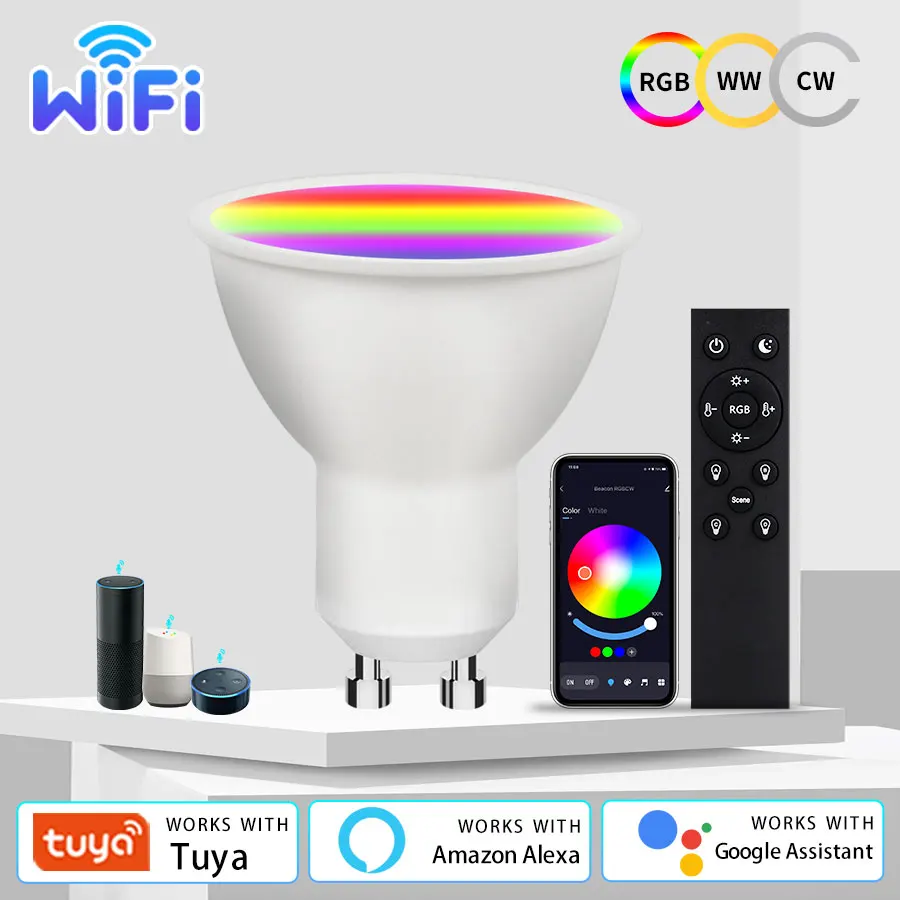
Tuya WiFi Smart LED Light Bulb 220V 5W 7W 9W GU10 Led Spotlight With RF 2.4G Remote Control Works With Alexa Geogle Home
Return&refund policy
Eligible items are covered by return and refund support. If the item does not arrive or is not as described, the buyer can request help.
Security & Privacy
Safe payments: We do not share your personal details with any third parties without your consent.
Secure personal details: We protect your privacy and keep your personal details safe and secure.
AI offer for your market
A curated pick based on category, shipping route, delivery speed and popularity in your selected market.
Why this product fits your market
- • Strong customer signal: 4.2★ from 37 reviews.
- • Recommendations focus on this product category and your market availability.
Product specifications
Detailed product description
This product is shown with available options, market-specific pricing and verified specifications.
- Brand: GGBEE
- Sales: 70
- Package size: 22 × 14 × 5 cm
- Package weight: 0.082 kg
- Rating: 4.2 / 5
Before adding to cart, choose an available option and check the quantity.
Specification
Produce name:Smart LED Bulb Light
Power: 5W 7W 9W
Color temperature: RGB + CW (2700-6500K)
Lamp base: GU10
Luminous flux: 460 (lm)
Input voltage: 220V
Lamp body material: plastic aluminum
Shade material: PC
APP: Smart life / Tuya
2.4G remote control: 2 * AAA (battery not included)
How to connect the wifi bulb to app?
1. Make sure that your wifi router is 2.4G, not 5G.
3. Turn on the lamp, if it's not flashing, turn off, turn on, turn off, turn on, for 5 times until the lamp is flashing. Connect to Tuya or Smart Life, find the wifi bulb device, write the wifi password, wait for few seconds. After connection, the lamp stops flashing. Then adjust the light.
4. Find Amazon Alexa or Google or SmartThings function in Tuya or Smart Life app, click it and connect with Tuya or Smart Life. Then you can control the lamp by your smart speaker, talk to it.
How to connect with the RF 2.4G remote?
1. Make sure that the lamp is connected with Tuya or Smart Life app.
2. Turn on the lamp, turn off, and turn on again. There are ABCD 4 buttons, choose one button which you need, long press for 10 seconds, connect with the lamp or lamp group successfully. Then for the other lamp or lamp group, turn on, trun off, turn on again, choose the other button and long press for 10 seconds.
3. Now you can control the lamps by remote, by different groups.
4. If you want to cancel the connection, long press the power button and brightness- button at the same time for several seconds, until there is a flashing light, then the remote can not control the lamp.